


'%20x='0'%20y='0'%20height='100%25'%20width='100%25'%20%0A%20%20%20%20%20%20%20%20%20%20xlink%3Ahref='data:image/jpg;base64,/9j/2wBDAAYEBQYFBAYGBQYHBwYIChAKCgkJChQODwwQFxQYGBcUFhYaHSUfGhsjHBYWICwgIyYnKSopGR8tMC0oMCUoKSj/2wBDAQcHBwoIChMKChMoGhYaKCgoKCgoKCgoKCgoKCgoKCgoKCgoKCgoKCgoKCgoKCgoKCgoKCgoKCgoKCgoKCgoKCj/wgARCAAGAAoDASIAAhEBAxEB/8QAFQABAQAAAAAAAAAAAAAAAAAAAAb/xAAVAQEBAAAAAAAAAAAAAAAAAAAAA//aAAwDAQACEAMQAAAAipoi/8QAHhAAAgICAgMAAAAAAAAAAAAAAQIDBAAGByMxMkH/2gAIAQEAAT8ATkLY568Nu1cLogfr8ghvmS7LfEr9Fb2Of//EABgRAAIDAAAAAAAAAAAAAAAAAAACAQMx/9oACAECAQE/AFudck//xAAXEQADAQAAAAAAAAAAAAAAAAAAAQIx/9oACAEDAQE/AKlPT//Z'%3E%3C/image%3E%3C/svg%3E)

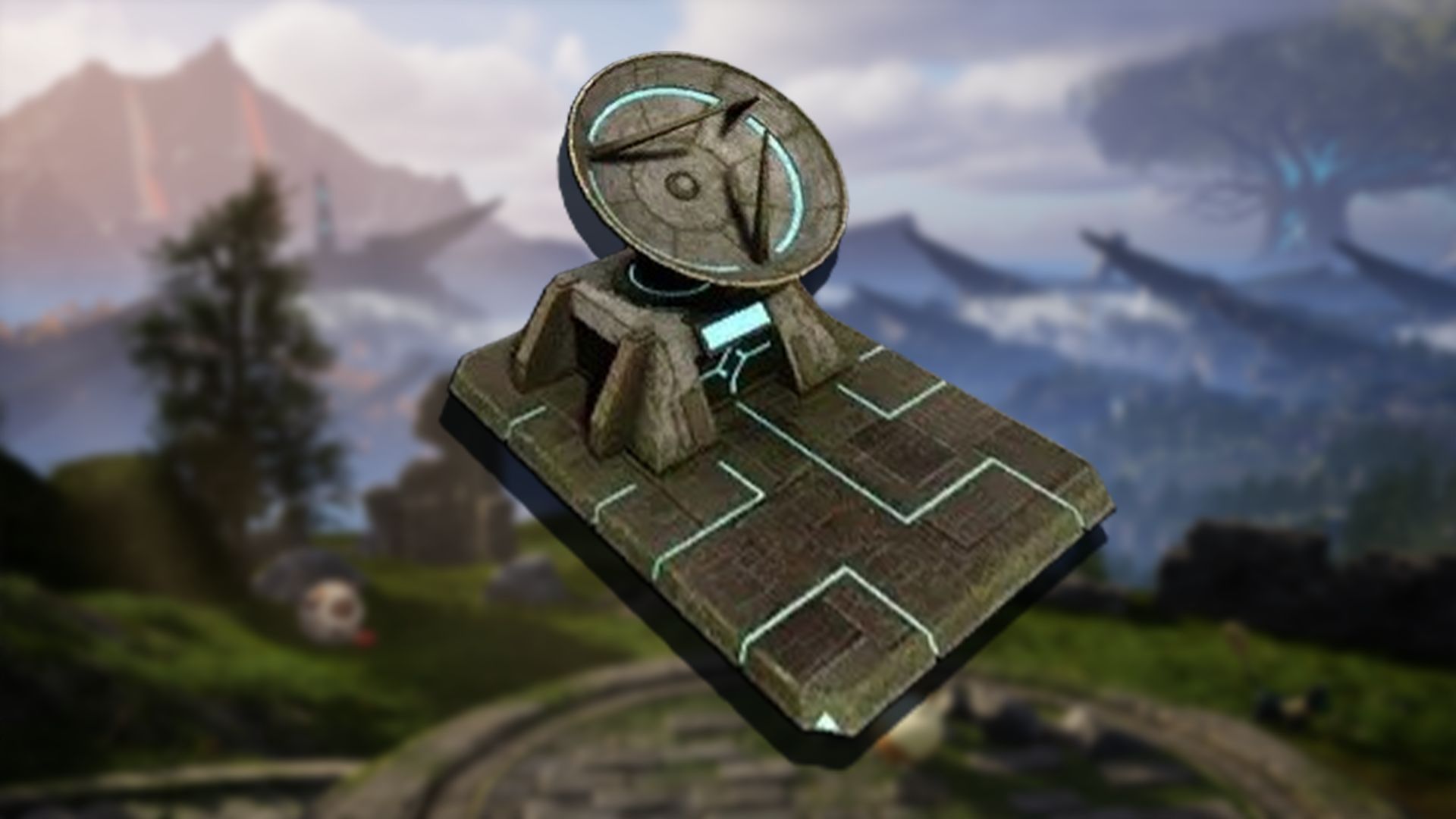
The Global Palbox is one of the most important items introduced by the Palworld v0.50 update earlier this year. It allows players to move their Pals between playthroughs across multiple servers. This gives them the benefit of carrying over their best critters even if they are starting a new playthrough.
The Global Palbox acts as a special storage unit for your Pal’s genetic material (Pal DNA). The device does not remove the uploaded Pal from one world to another; instead, it creates a copy of that Pal and uploads it to the world it’s being sent to.
In this guide, we break down how the Global Palbox works, how to craft one, and how to use it to transfer your Pals across worlds in Palworld.
 Trending
Palworld: How to craft the Global Palbox

To start transferring your Pals across servers in Palworld, you need to craft the Global Palbox first. The schematic for the storage unlocks automatically in the Technology skill tree.
Here are the required materials for crafting the Global Palbox:
- 3x Paldium Fragments (use a Crusher to produce or mine from the Plateau of the Beginnings location)
- 5x Wood
- 15x Stone
Gathering these materials is quite easy, and once you have gathered enough of them, you can start building the Global Palbox.
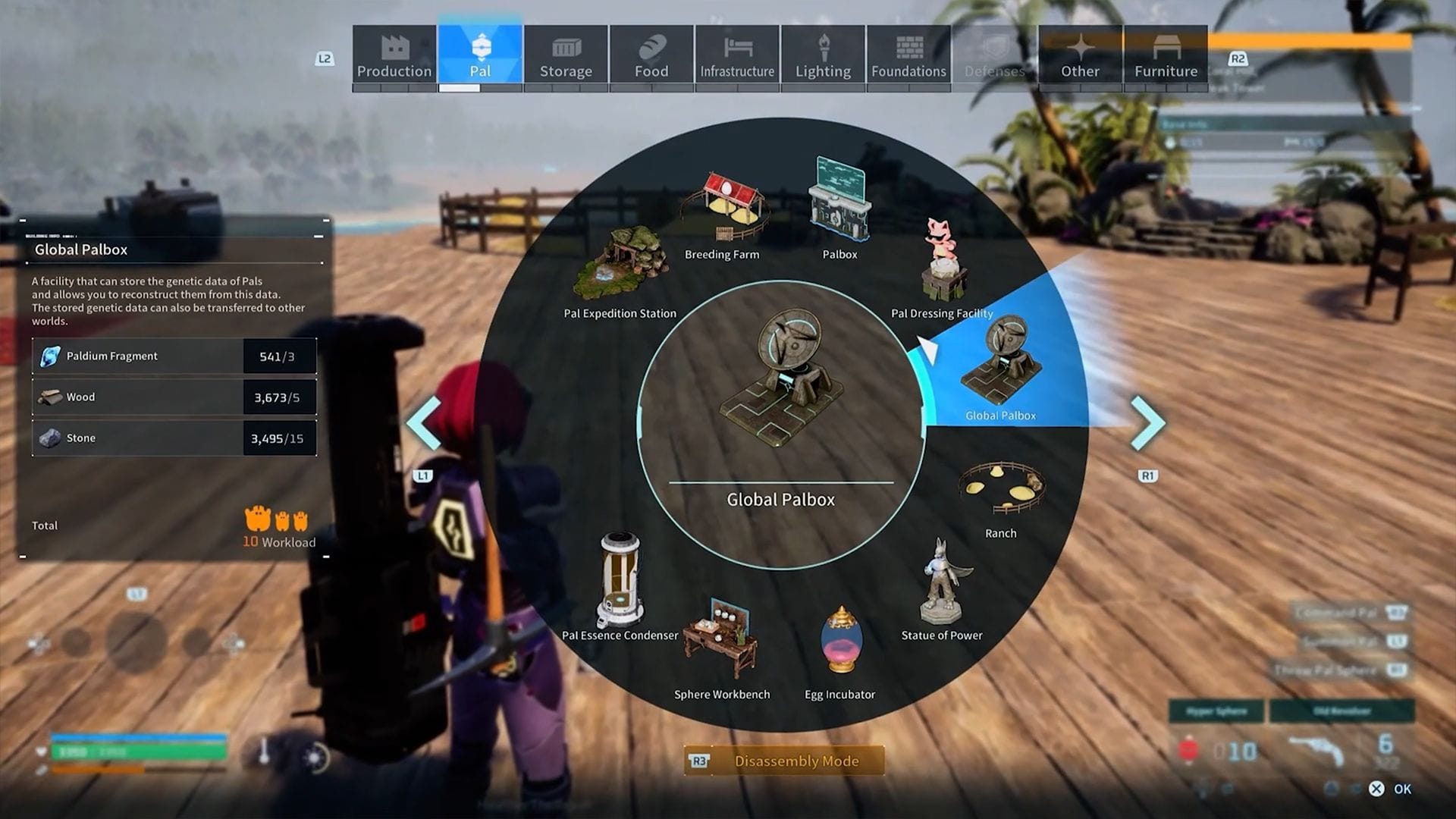
To craft the Global Palbox, follow these steps:
- Access the Build Menu.
- Go to the Pal tab.
- Pick the Global Palbox and place it in the desired spot.
With the March 2025 update, the Global Palbox is now a Level 1 item, making it accessible to you as soon as you enter the game.
Also Read: How to catch (and farm) Mau in Palworld
Palworld: How to use the Global Palbox to transfer Pals
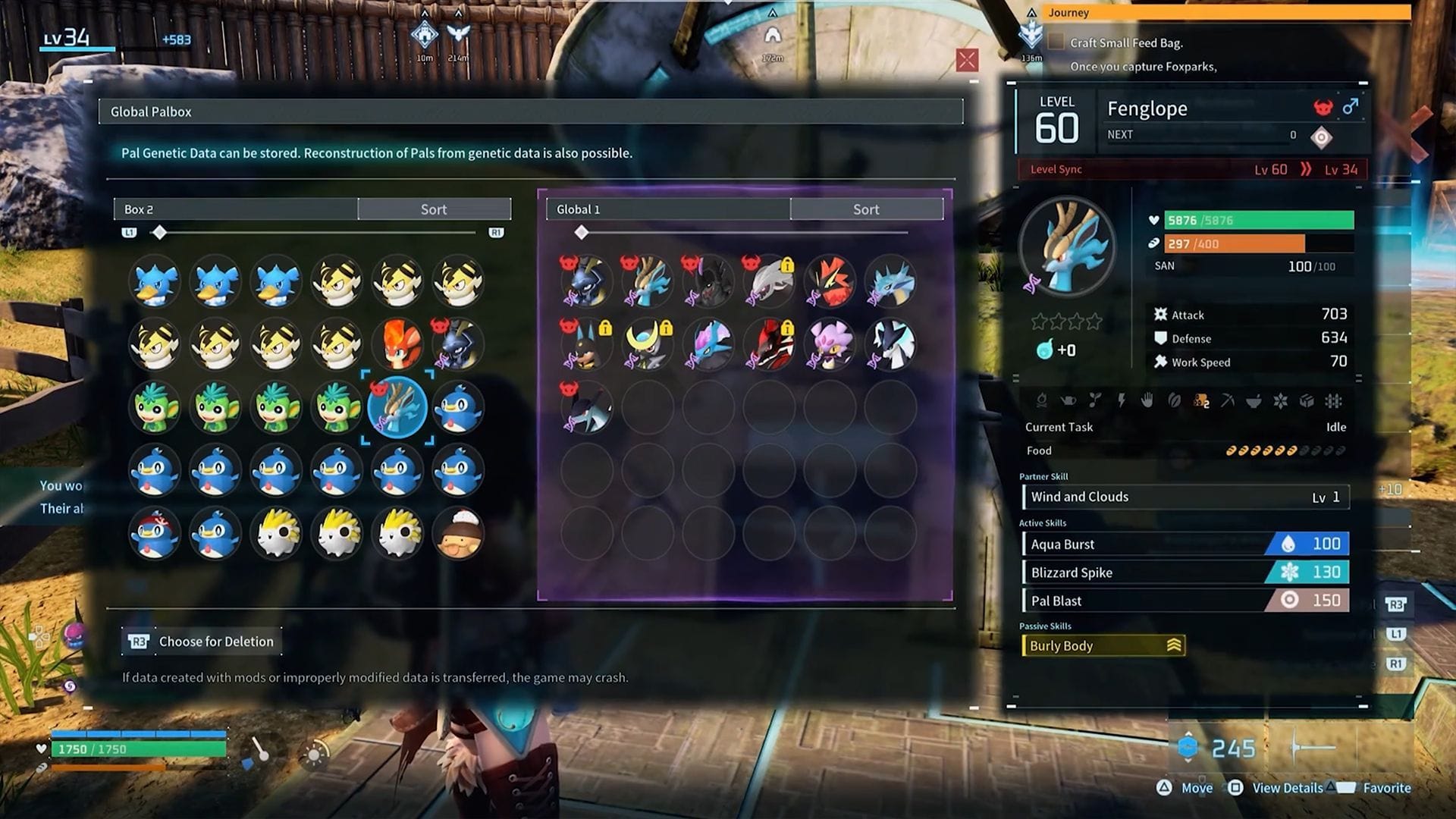
Once you have crafted the Global Palbox, you can begin transferring your Pals between worlds. Here’s how you do it:
- First, you need to save your Pal’s DNA. To do that, place the Pal into the regular Palbox.
- Access the Global Palbox and find the Pal you are looking for in the regular Palbox Storage.
- Drag and drop the Pal in the empty slot of the Global Palbox. This saves a copy of the DNA of your Pal without deleting the original.
Note: The copied Pal retains the stats of the original from the moment of its saving.
- Now, exit to the main menu and enter another world or another save game.
- Once inside, build another Global Palbox in that world.
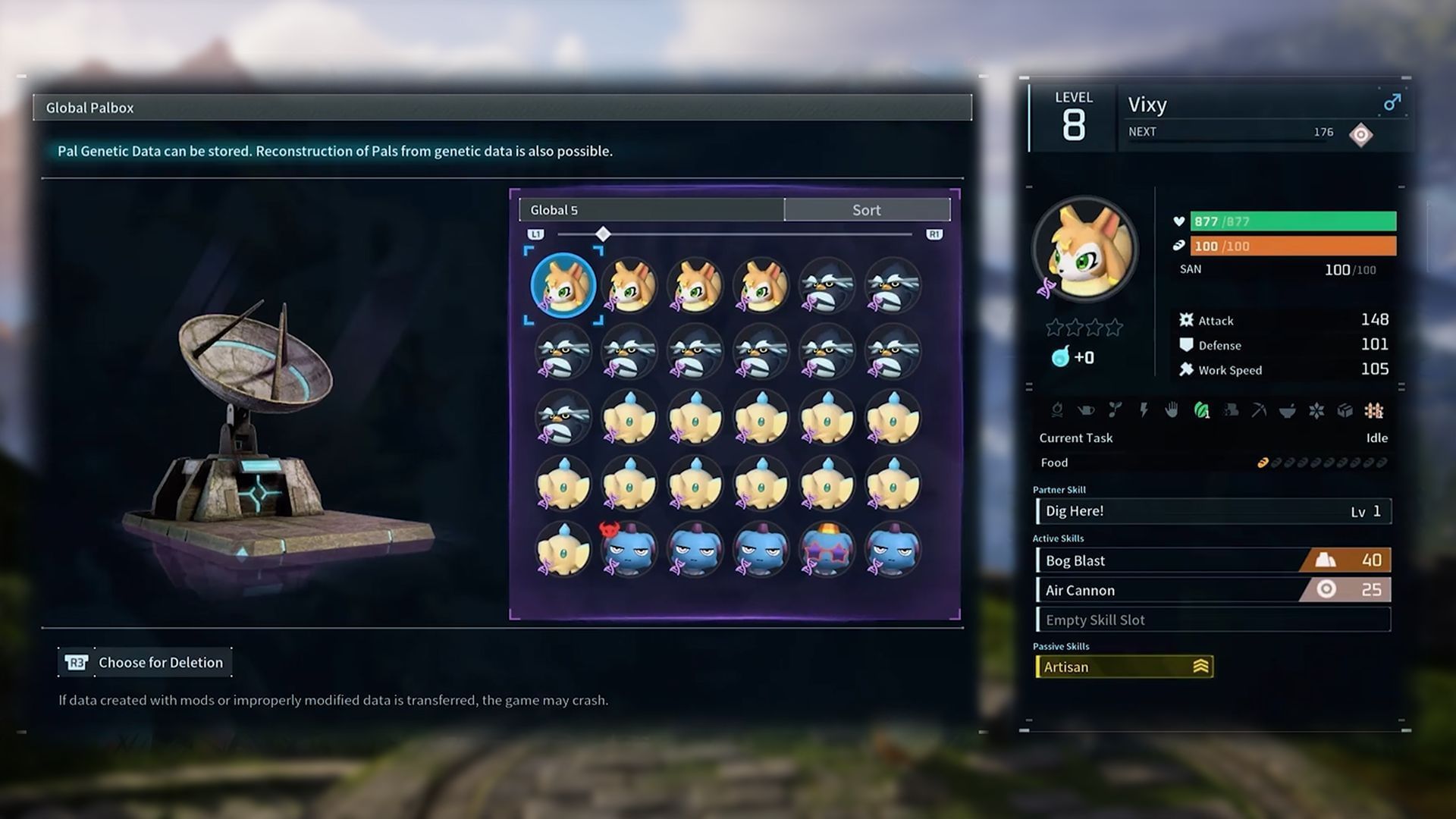
- Once you have a Global Palbox in that world, you will be able to access the saved Pals.
- Open the new Global Palbox and find the Pal DNA you are looking for.
- Simply drag and drop the Pal from the Global to the regular Palbox.
- Open the regular Palbox and add the new Pal to your party or in your base for work.
Using this method, you can now eliminate repeated breeding and nurturing of your Pal. All you need is a Global Palbox in both worlds to transfer your strongest and rarest creature.
Also Read: All Palworld Merchant locations, items, and types
Important notes
Here are some important things to keep in mind when transferring your Pals between worlds:
- You can only have a single copy of a Pal in one world.
- Once a Pal's DNA is saved, it can be used indefinitely across multiple worlds.
- The stats of the stored Pals in the Global Palbox can be manually updated if your original Pal has leveled up.
- The Global Palbox is available to all players at level 1, making it easier to craft early in the game.
The Global Palbox is one of the best quality-of-life (QoL) upgrades in Palworld. It allows you to progress in any new world without having to go through extensive grinding and Pal-breeding processes. If you are planning to move across servers and start your journey anew, crafting a Global Palbox will save you a lot of time in your in-game progression.
Check out our other MMO guides and features here:
- Everything we know about War Thunder's Spearhead update
- Who is Ono Kensho in Duet Night Abyss? Japanese VA's previous works explored
- RV There Yet: Antidote and EpiPen guide
- How to get Bear Spray in RV There Yet
- Best Barbarian leveling build in Diablo 4 Season 10
- Fellowship: All Ascensions and Curses, explained


