


'%20x='0'%20y='0'%20height='100%25'%20width='100%25'%20%0A%20%20%20%20%20%20%20%20%20%20xlink%3Ahref='data:image/jpg;base64,/9j/2wBDAAYGBgYHBgcICAcKCwoLCg8ODAwODxYQERAREBYiFRkVFRkVIh4kHhweJB42KiYmKjY+NDI0PkxERExfWl98fKf/2wBDAQYGBgYHBgcICAcKCwoLCg8ODAwODxYQERAREBYiFRkVFRkVIh4kHhweJB42KiYmKjY+NDI0PkxERExfWl98fKf/wgARCAAGAAoDASIAAhEBAxEB/8QAFgABAQEAAAAAAAAAAAAAAAAAAAMG/8QAFQEBAQAAAAAAAAAAAAAAAAAABAb/2gAMAwEAAhADEAAAANHQkgf/xAAgEAABAwMFAQAAAAAAAAAAAAABAgMRAAQSBQYHIpLh/9oACAEBAAE/AH9/XmL8WjOapKFEDrQ5H1GBNuz4+1//xAAZEQEAAgMAAAAAAAAAAAAAAAACAAEiMcH/2gAIAQIBAT8AQFA41vlT/8QAGREBAAIDAAAAAAAAAAAAAAAAAQAEAiMx/9oACAEDAQE/AMrdgDa9n//Z'%3E%3C/image%3E%3C/svg%3E)

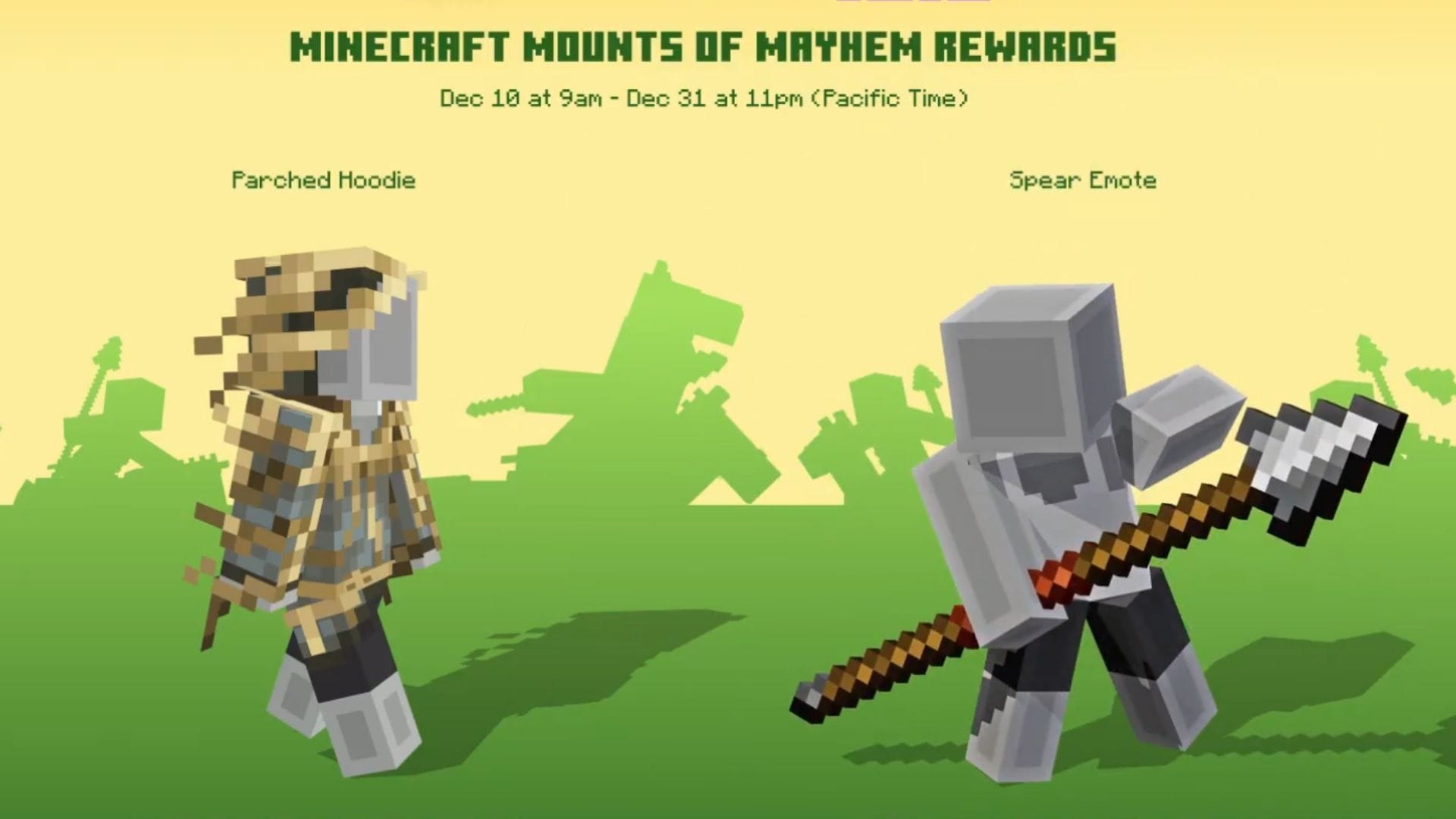
Mojang is giving away two unique Minecraft Twitch rewards to celebrate the upcoming Mounts of Mayhem game drop. These character creator items embody major features of the upcoming update and hype gamers up ahead of its release. Bedrock edition players can get their hands on these items with ease and show off their fandom in the game.
Here's how you can get your hands on the Parched Hoodie and Spear Emote Minecraft Twitch rewards in Bedrock.

How to get the Parched Hoodie Minecraft Twitch reward
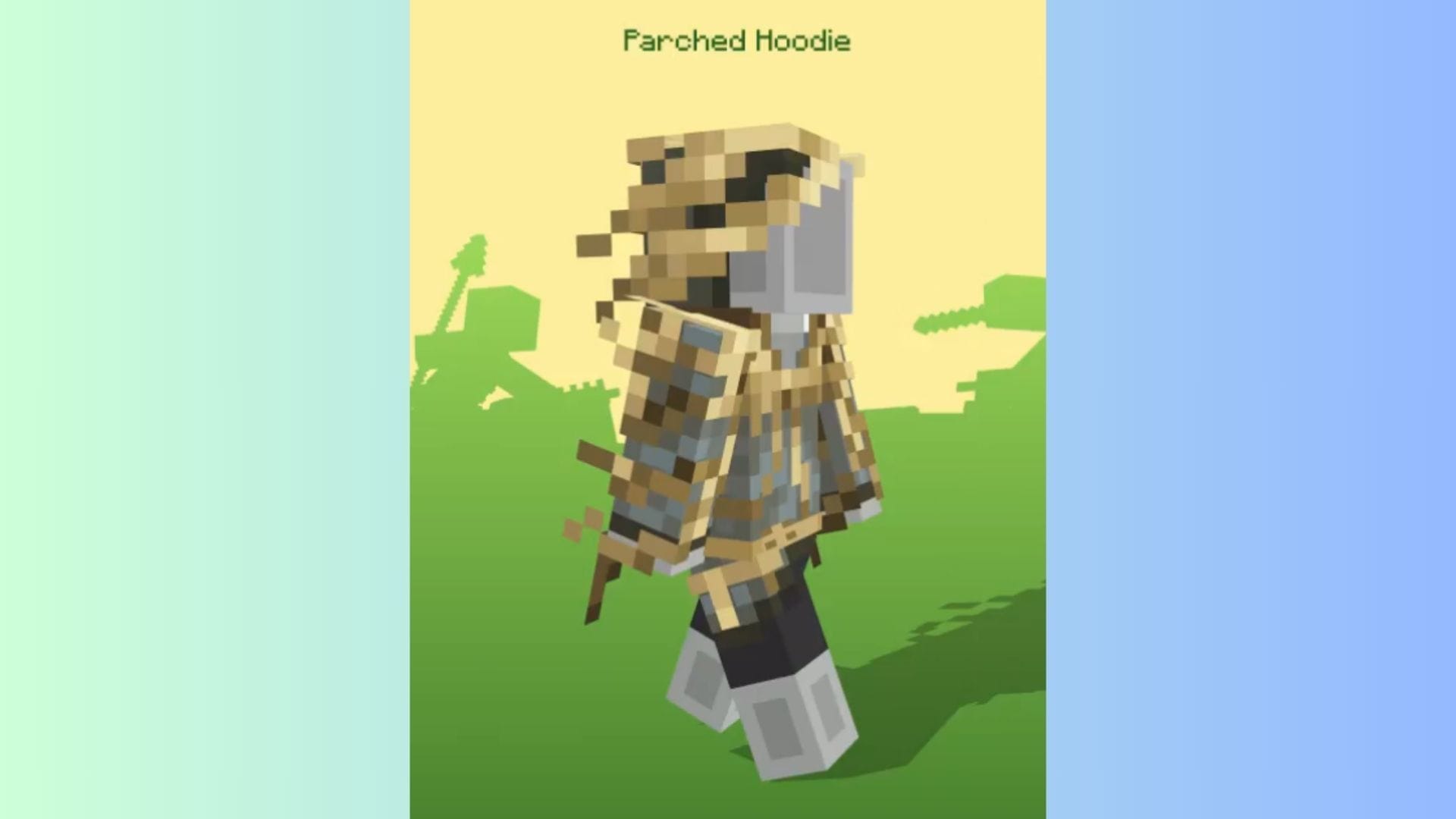
Chart New Territories with the ultimate Minecraft Seed Generator!
Players can get their hands on the Parched Hoodie Twitch reward by completing a watchtime quest between December 10, 2025, at 9 AM PST and December 31, 2025, at 11 pm PST. They must simply watch a stream for a certain duration to receive this cosmetic item.
 Trending
Here's how you can get your hands on the free Parched Hoodie Minecraft Twitch reward:
- Head to Twitch and sign in with your registered account.
- Click on the profile icon in the top-right section of the website.
- Next, tap the Drops and Rewards option.
- Head to the All Campaign tab.
- Look for the Minecraft Campaign.
- Expand to open the details and click on the linked Minecraft text in the description. This will open a series of participating Minecraft streams.
- Open and watch any partner or affiliate stream for five minutes to earn the reward.
- Once done, head back to the Drops and Rewards tab. Scroll down to the Rewards section and click on the purple Redeem button under the Parched Hoodie.
- Copy the 25-character code and head to the Redemption page. Ensure to sign in with your linked Microsoft account before redeeming.
- Now, paste the code in the blank space. Click Redeem, and then confirm the binding of the reward. Once done, you can claim the free Parched Hoodie Minecraft Twitch reward.
How to get the Spear Emote Minecraft Twitch reward
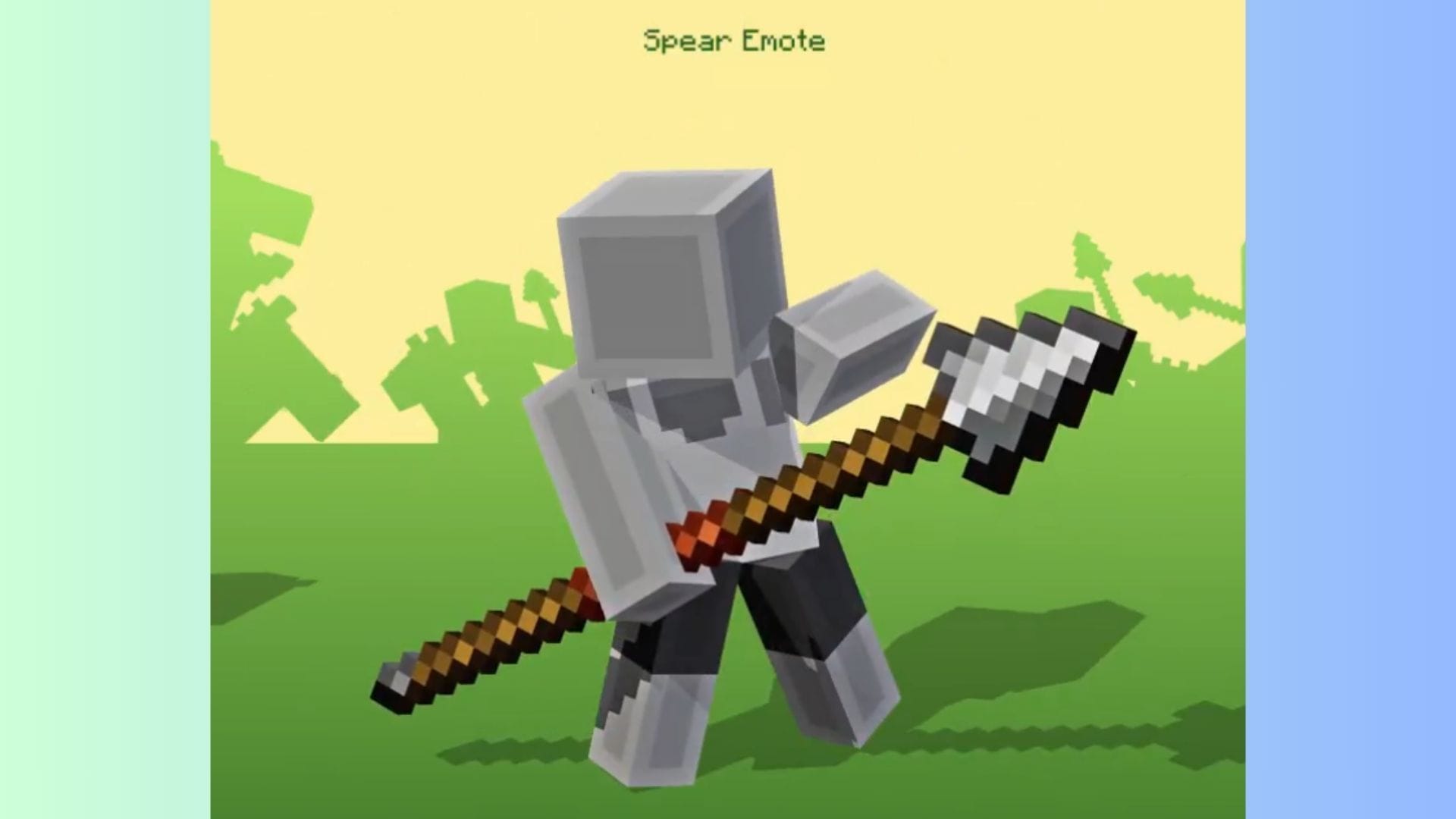
Players can get their hands on the Spear Emote Minecraft Twitch reward by heading over to a Twitch Partner or any affiliate channels streaming in the Minecraft category between December 10, 2025, at 9 AM PST and December 31, 2025, at 11 pm PST and purchasing a cumulative of one subscription of any tier to earn the reward.
Here's how you can obtain the Spear Emote Minecraft Twitch reward with ease:
- Head to Twitch and sign in with your registered account.
- Click on the profile icon in the top-right section of the website.
- Next, tap the Drops and Rewards option.
- Head to the All Campaign tab.
- Look for the Minecraft Campaign
- Expand to open the details and click on the linked Minecraft text in the description. This will open a variety of Twitch Partner or any affiliate channels streaming Minecraft.
- Simply purchase any tier of subscription for one of these channels to receive the reward.
- Once done, head back to the Drops and Rewards tab. Scroll down to the Rewards section and click on the purple Redeem button under the Spear Emote.
- Copy the 25-character code and head to the Redemption page. Make sure to sign in with your linked Microsoft account before redeeming.
- Now, paste this code in the blank space. Next, click on Redeem and confirm the binding of the reward. You have now claimed the free Spear Emote Twitch reward.
Additionally, it is to be noted that Prime subs are excluded from this offer. Players will have to purchase a tier of their desired creator on Twitch to unlock the code for the reward, and then claim it following the steps mentioned above.
Also read: New Minecraft version naming system explained
Check out our other Minecraft articles:
- How to get and use Reese's Sodium Options mod
- Cool ways to use shelves
- How to get boss mob spawn eggs
- How to sort items using a copper golem
- 4 best mods to bring mobs to life
- All the Minecraft fishing enchantments explained

Uncover new worlds with our Minecraft Seed Generator!


