


'%20x='0'%20y='0'%20height='100%25'%20width='100%25'%20%0A%20%20%20%20%20%20%20%20%20%20xlink%3Ahref='data:image/jpg;base64,/9j/2wBDAAYGBgYHBgcICAcKCwoLCg8ODAwODxYQERAREBYiFRkVFRkVIh4kHhweJB42KiYmKjY+NDI0PkxERExfWl98fKf/2wBDAQYGBgYHBgcICAcKCwoLCg8ODAwODxYQERAREBYiFRkVFRkVIh4kHhweJB42KiYmKjY+NDI0PkxERExfWl98fKf/wgARCAAGAAoDASIAAhEBAxEB/8QAFgABAQEAAAAAAAAAAAAAAAAAAAUH/8QAFQEBAQAAAAAAAAAAAAAAAAAAAgT/2gAMAwEAAhADEAAAAKGbE4//xAAgEAAABQMFAAAAAAAAAAAAAAAAAQIDBgQTIQUXJFWk/9oACAEBAAE/AKCbSA9Ir+U1cYZwuwjJkN0Zb2XnZH//xAAaEQACAgMAAAAAAAAAAAAAAAABAgAhBBIT/9oACAECAQE/AMlmTnqzWgJuf//EABcRAAMBAAAAAAAAAAAAAAAAAAABAqH/2gAIAQMBAT8AV1p//9k='%3E%3C/image%3E%3C/svg%3E)

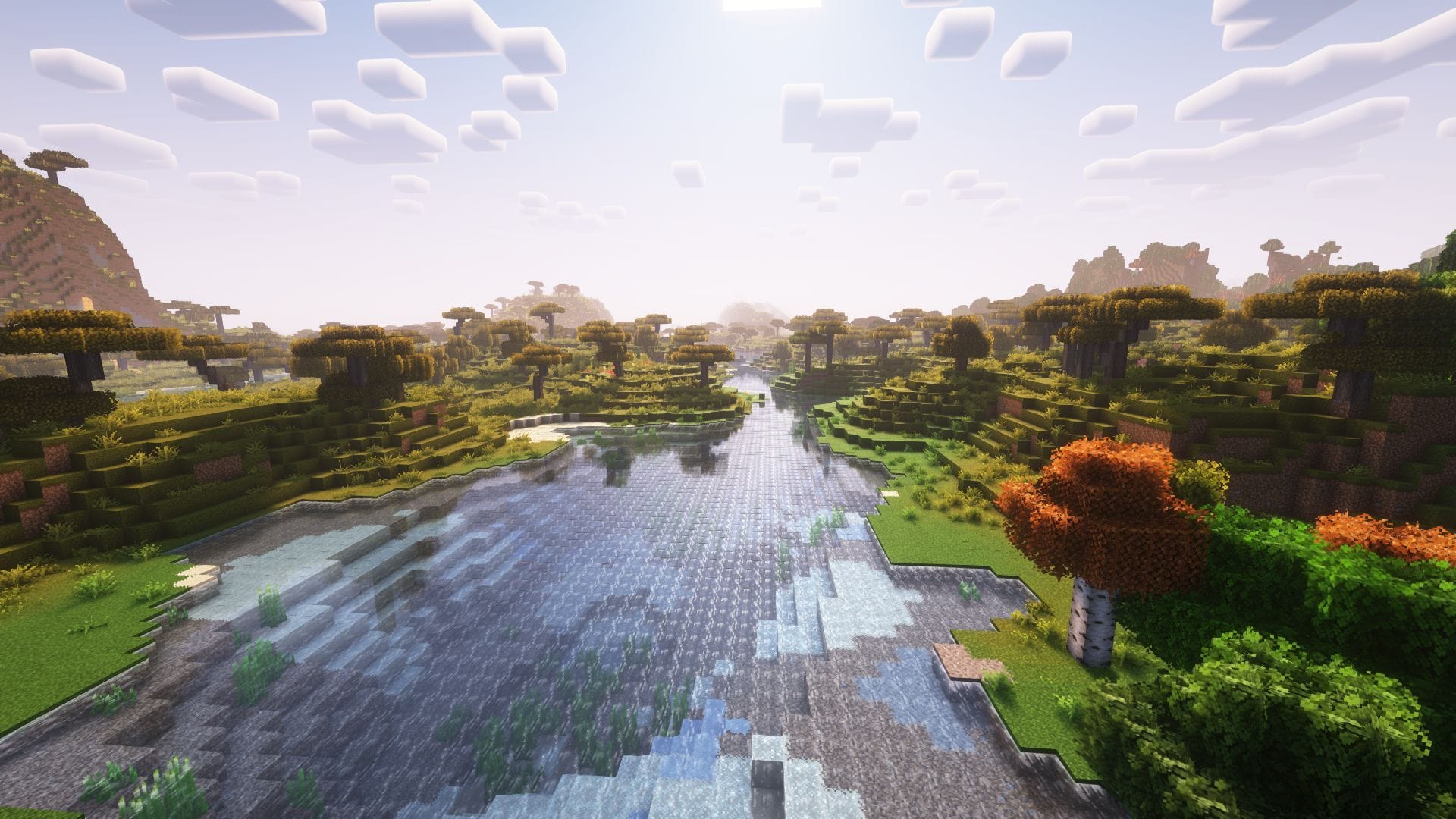
The latest Mounts of Mayhem game drop is here, and players are wondering how they can install Minecraft 1.21.11 Iris Shaders to enhance the visual identity of their vanilla worlds. This popular visual mod lets gamers implement a variety of shader packs to modify the appearance of the regular world, offering numerous styles and enhancements.
Here's how you can download and install Minecraft 1.21.11 Iris Shaders.

Guide to download and install Minecraft 1.21.11 Iris Shaders
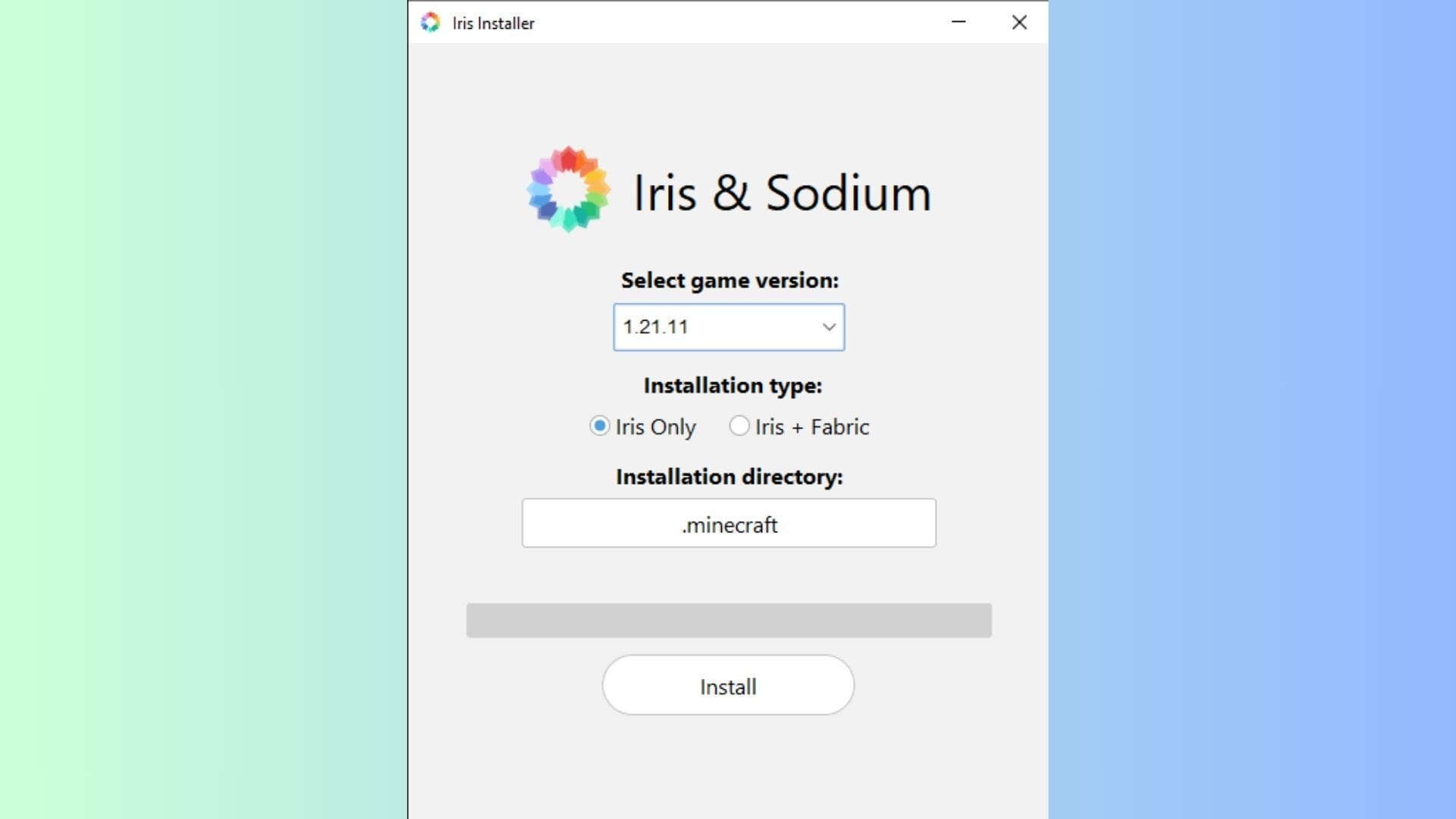
Chart New Territories with the ultimate Minecraft Seed Generator!
Iris Shaders is one of the most popular mods for installing and using shaders in Minecraft 1.21.11. It boasts an intuitive interface and can be seamlessly bundled with render mods like Distant Horizons, making it a popular choice for casual hobbyists and hardcore builders who enjoy custom modpacks.
 Trending
Here's how you can install the Minecraft 1.21.11 Iris Shaders mod:
- Make your way to the official Iris Shaders website and download the universal JAR file for Iris Shaders.
- Run the JAR and make sure to select 1.21.11 as the version. If you have Fabric 1.21.11 installed, you can skip the bundled installation of Iris+Fabric. However, if you do not have the API, it is recommended to download the combination since it is a necessary dependency.
- Ensure that the installation directory is set to .minecraft.
- Once done, click the Install button to finish installing Iris Shaders on your device.
After you are done installing, head over to the Java edition of the game. Now, click on the dropdown menu and check that the list of instances contains Minecraft with Iris Shaders 1.21.11, indicating it is installed. Since it was just installed, you will find it at the top of the list. If it does not show up, simply restart the launcher.
When you run the instance with Iris shaders installed, you will get a message that the version might not support safety features — this is safe to ignore. It is one of the most popular Minecraft mods used by millions of players worldwide. Additionally, you can also check the box to prevent future dialogs from popping up.
Also read: How to get Minecraft Fabric 1.21.11
How to use Minecraft 1.21.11 Iris Shaders
Once you have successfully installed Minecraft 1.21.11 Iris Shaders on your device, you can now use it to install and try out a host of compatible shaders in your world.
Here's how you can install and use shaders using Minecraft 1.21.11 Iris Shaders:
- Download a shader of your choice from popular mod repositories like CurseForge or Modrinth.
- Open the instance of Minecraft where Iris Shaders was installed.
- Head to the Options menu on the loading screen.
- Navigate to the Video settings tab. This will take you to the main Iris Shaders interface, with an array of customization options.
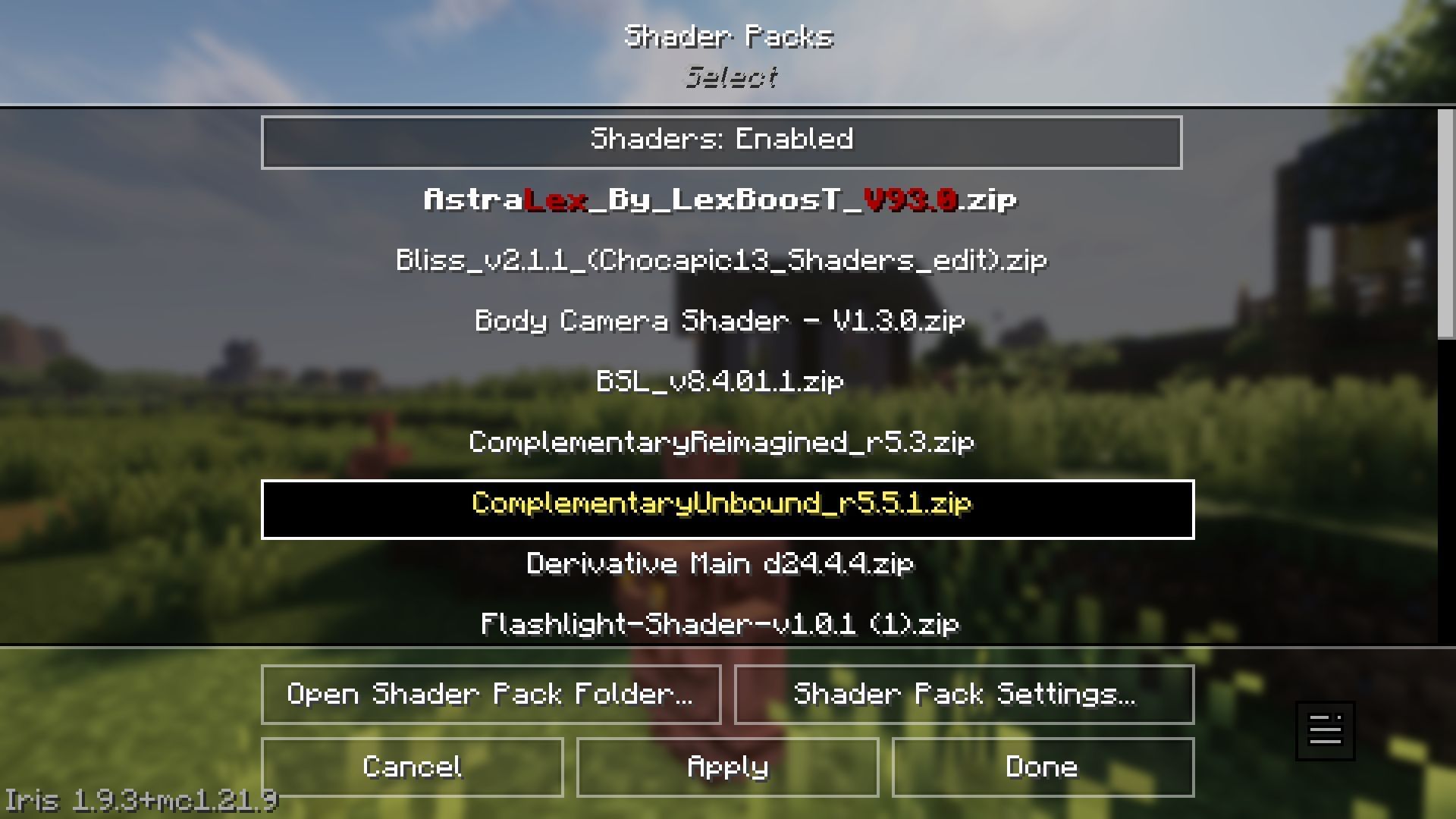
- Now, click the Shader Packs tab in the right corner.
- Click on the Open Shader Pack Folder button, which will open up the shaders directory.
- Next, drag and drop your downloaded shaders into this folder.
- Head back to the game. You will notice that the shader(s) you placed in the folder are now displayed in the list of available options.
- Click on the shader you wish to use and select the 'Apply' button to apply and activate the modifications.
Additionally, you can mess around with values in the Shader Pack Settings Tab. It lets you modify the behavior of assets and effects in the pack to suit your play style and needs. Most compatible shaders will let you adjust features such as lighting, sky, water behavior, and more.
Once you are done selecting and customising, wait while the shader and visual assets from the pack get applied to your world. During this time, you might feel like the game is frozen, but do not shut it down. Once finished, head back to the loading screen and create a new world or load an existing one to enjoy the visual changes of shaders, using Minecraft 1.21.11 Iris Shaders.
Minecraft 1.21.11 Iris Shaders also comes bundled with Sodium, a powerful rendering optimisation mod that significantly improves frame rates and micro-stutters. Apart from this, you can also pair Iris with additional rendering mods like Distant Horizons to generate larger terrain areas. However, it is recommended to ensure compatibility before installing or deploying any mods.
Also read: New Minecraft version naming system explained
Check out our other Minecraft articles:
- How to get and use Reese's Sodium Options mod
- Cool ways to use shelves
- How to get boss mob spawn eggs
- How to sort items using a copper golem
- 4 best mods to bring mobs to life
- All the Minecraft fishing enchantments explained

Uncover new worlds with our Minecraft Seed Generator!


