


'%20x='0'%20y='0'%20height='100%25'%20width='100%25'%20%0A%20%20%20%20%20%20%20%20%20%20xlink%3Ahref='data:image/jpg;base64,/9j/2wBDAAYGBgYHBgcICAcKCwoLCg8ODAwODxYQERAREBYiFRkVFRkVIh4kHhweJB42KiYmKjY+NDI0PkxERExfWl98fKf/2wBDAQYGBgYHBgcICAcKCwoLCg8ODAwODxYQERAREBYiFRkVFRkVIh4kHhweJB42KiYmKjY+NDI0PkxERExfWl98fKf/wgARCAAGAAoDASIAAhEBAxEB/8QAFQABAQAAAAAAAAAAAAAAAAAAAAX/xAAUAQEAAAAAAAAAAAAAAAAAAAAE/9oADAMBAAIQAxAAAACFVAr/AP/EAB0QAAIBBAMAAAAAAAAAAAAAAAEDAgAEBREUMZL/2gAIAQEAAT8ATLj5S5QsRgkoWxcREdkkHdG72SShXgV//8QAFhEAAwAAAAAAAAAAAAAAAAAAAAMx/9oACAECAQE/AGU//8QAFhEAAwAAAAAAAAAAAAAAAAAAAAIx/9oACAEDAQE/AEh//9k='%3E%3C/image%3E%3C/svg%3E)

Cats in GTA Online A Safehouse in the Hills are finally a real thing, and for the first time ever, you can actually own a pet that belongs to your character. The DLC introduces purchasable mansions, and with them, the ability to keep cats (and dogs) as part of your home.
With that in mind, here's how to get cats in GTA Online A Safehouse in the Hills.
How to buy cats in GTA Online A Safehouse in the Hills
To get cats, you must own one of the three new mansions added with the GTA Online A Safehouse in the Hills update. Pets are tied directly to these properties, so without a mansion, cats simply won’t be available.
 Trending
Once the mansion is unlocked, getting a cat is straightforward. Here are the steps:
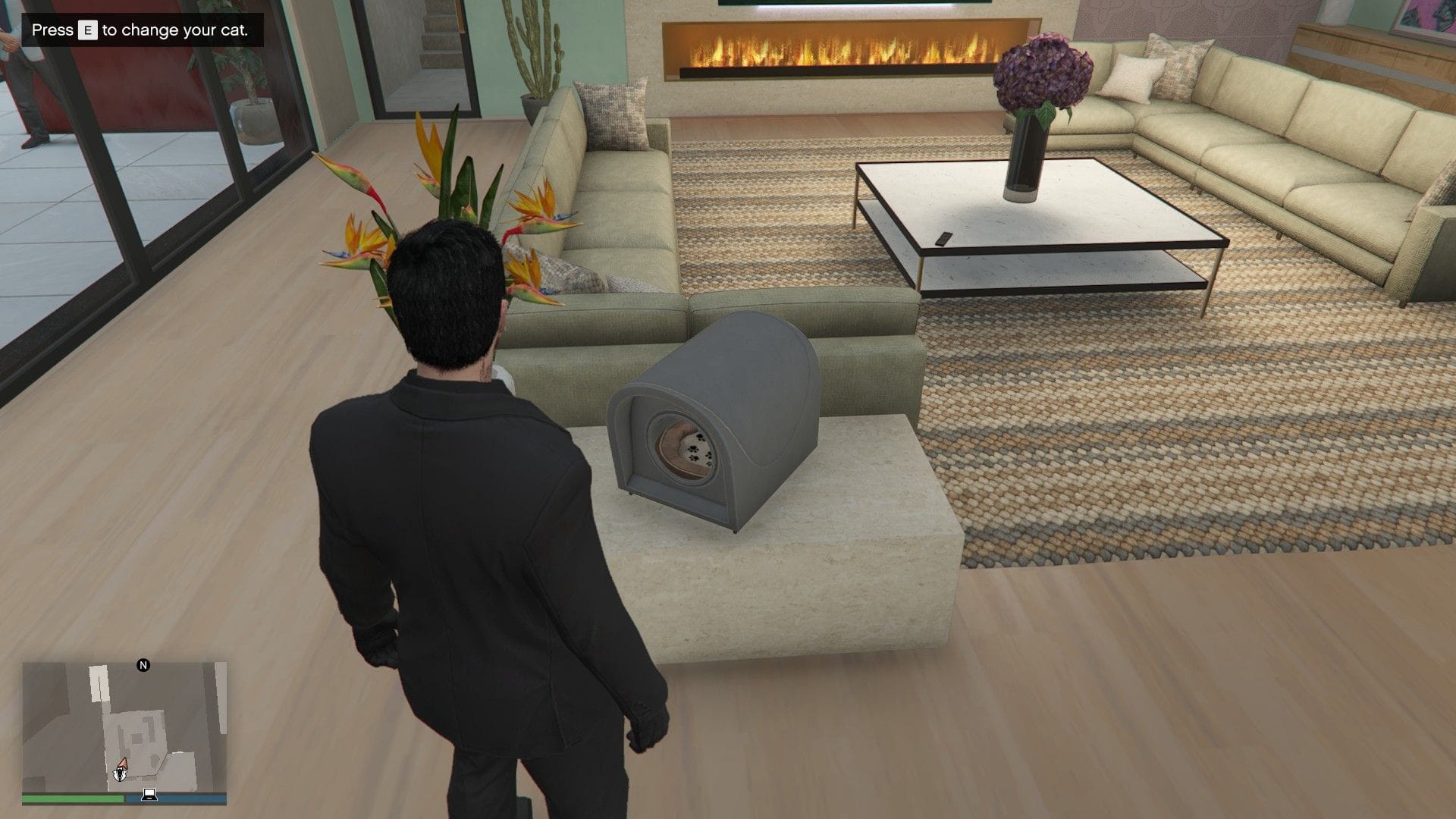
- Head inside the mansion and go to the lounge area.
- Look for the kennel interaction point inside the property.
- Interact with it to open the pet menu.
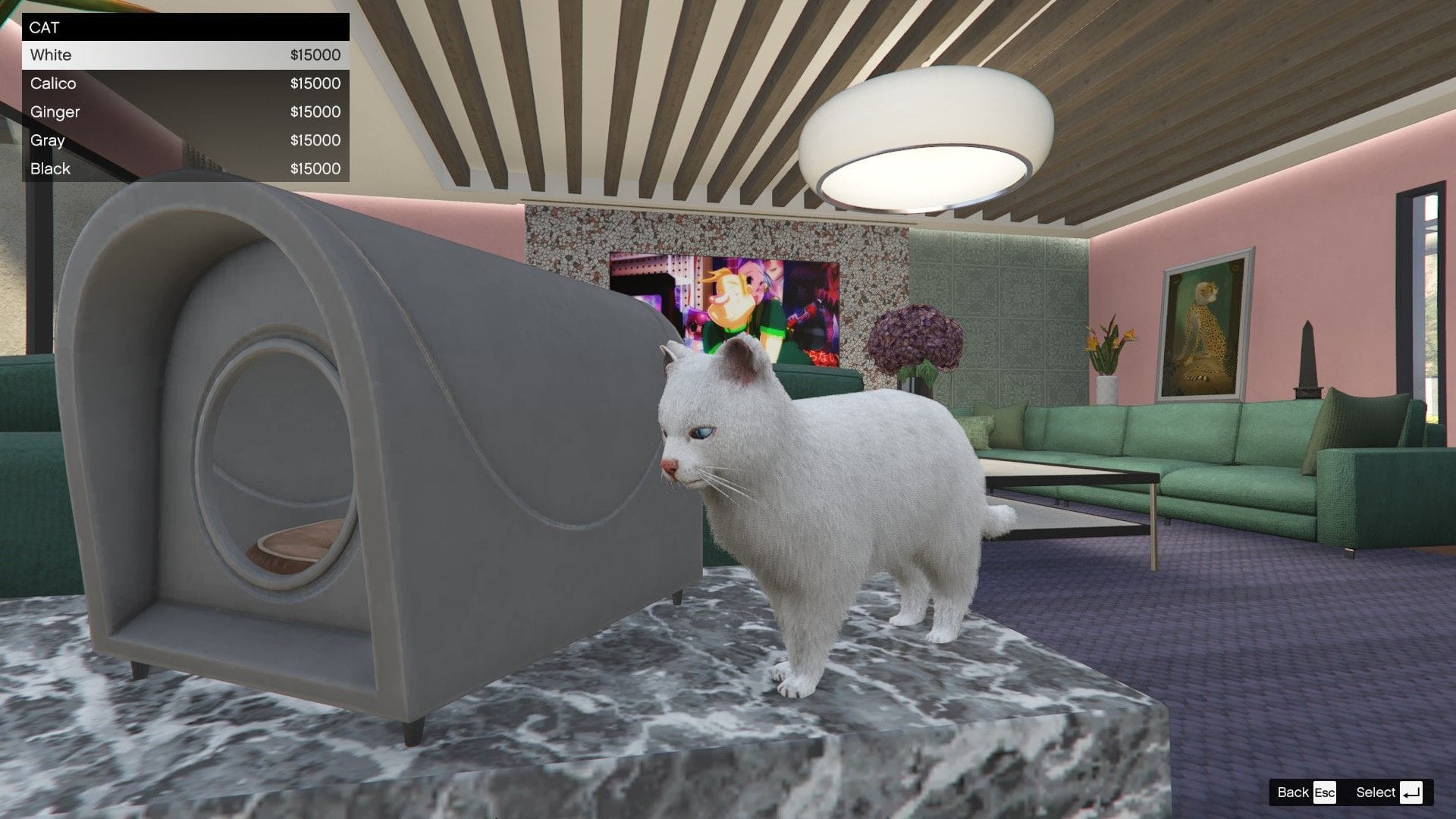
- Choose a cat, name it, and confirm the purchase.
Each cat costs $15,000, and after buying one, it immediately becomes part of your mansion.
You’re also free to rename your cat anytime by returning to the kennel menu and pressing Y / Triangle (press TAB on PC). From the same menu, you can also swap breed and color if you feel like changing things up later.
All available cats in GTA Online A Safehouse in the Hills
There are five cat variants available in the update. There are no stat differences between them.
- White
- Calico
- Ginger
- Gray
- Black
All five cost the same amount and are purely cosmetic, so it really comes down to which one fits your mansion vibe.
How to pet your cat
Once your cat is moving around the mansion, interacting with them is simple and surprisingly satisfying.
- Walk up to your cat.
- Press Right D-pad on console or E on PC.
- Your character kneels down and pets them.
If this article is to your liking, you can check other GTA content below:
- GTA Online A Safehouse in the Hills update size on PC, PS5, and Xbox Series X/S
- How to get Aquarius yacht for free in GTA Online
- All cash bonuses and offers you can make use of before Mansions DLC
- How to download GTA Online A Safehouse in the Hills update


