


'%20x='0'%20y='0'%20height='100%25'%20width='100%25'%20%0A%20%20%20%20%20%20%20%20%20%20xlink%3Ahref='data:image/jpg;base64,/9j/2wBDAAYGBgYHBgcICAcKCwoLCg8ODAwODxYQERAREBYiFRkVFRkVIh4kHhweJB42KiYmKjY+NDI0PkxERExfWl98fKf/2wBDAQYGBgYHBgcICAcKCwoLCg8ODAwODxYQERAREBYiFRkVFRkVIh4kHhweJB42KiYmKjY+NDI0PkxERExfWl98fKf/wgARCAAGAAoDASIAAhEBAxEB/8QAFQABAQAAAAAAAAAAAAAAAAAAAAf/xAAVAQEBAAAAAAAAAAAAAAAAAAADBP/aAAwDAQACEAMQAAAAldKJ1//EACIQAAEDAgYDAAAAAAAAAAAAAAIBAwQAEgUGESEiIzEyYf/aAAgBAQABPwDKEVxnFENuMxqEdUdQ3DIXuSeaGcdo90wdvUZJ2p8Sv//EABoRAAICAwAAAAAAAAAAAAAAAAECAAMRMUL/2gAIAQIBAT8AuctYchTrkT//xAAaEQEAAgMBAAAAAAAAAAAAAAABAhEAAyIx/9oACAEDAQE/ACzUVKR0+KZ//9k='%3E%3C/image%3E%3C/svg%3E)

Rockstar Games is currently offering $500,000 in GTA Online to those who link their Discord account. In the last few years, Rockstar Games has also focused on creating a thriving community on Discord. The company started by making its official server, where GTA 6's text channel was at the top. It also added Discord Rich Experience support on its official launcher.
Now, the developers are offering in-game money for linking a Discord account to a Rockstar Games account. Here is a short guide on how to link the accounts and get the reward.
Steps to link Discord and Rockstar Games account to get $500k in GTA Online
1) Join the Rockstar Games Discord server
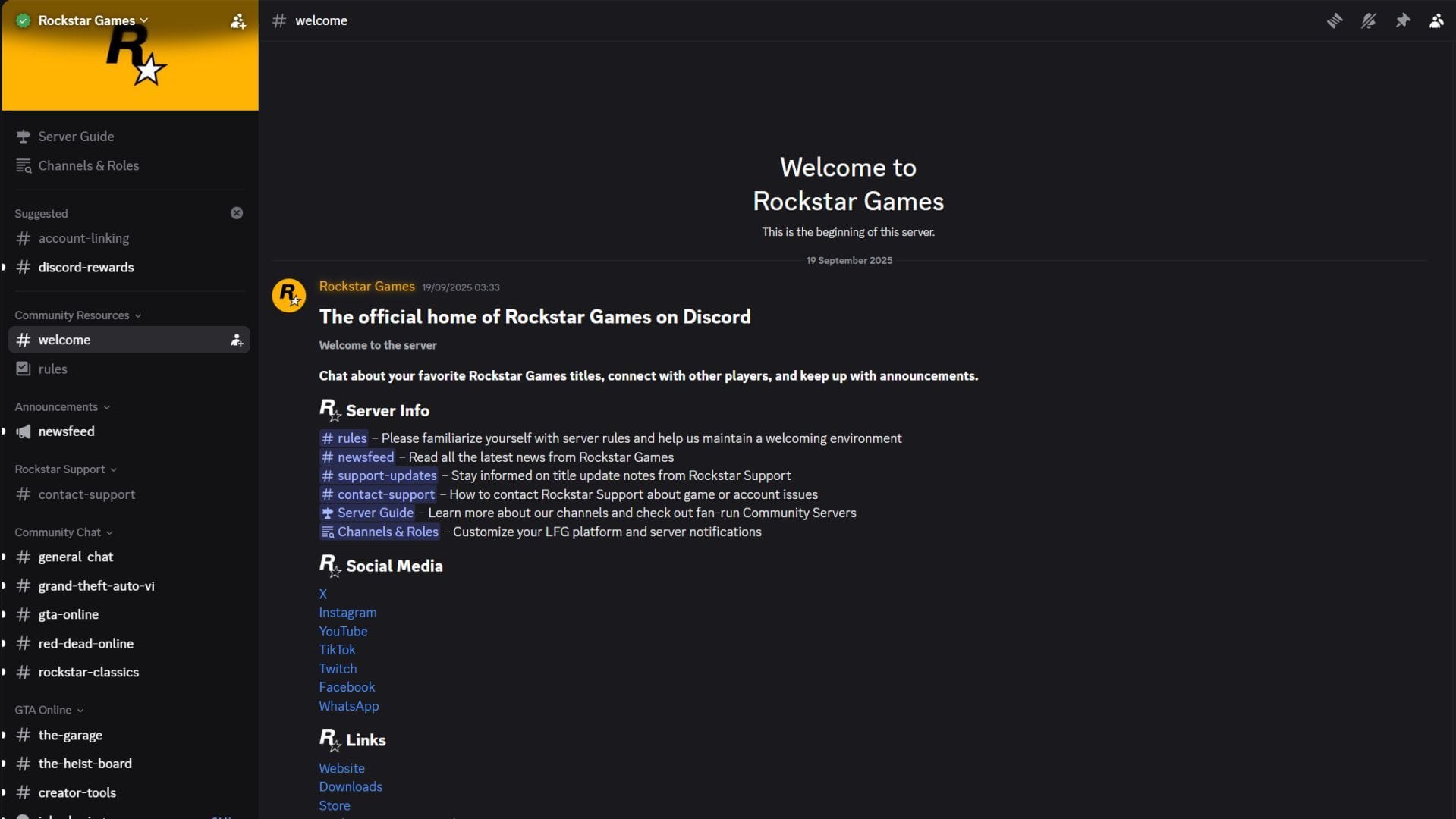
First, you need to join the official Rockstar Games Discord server. Here is the link to the server. After you join, you will be asked to complete the server's tutorial, after which you can see all the text channels. There you will find the "Discord rewards" text channel, which needs to be accessed later.
 Trending
2) Log in to the Rockstar Games account on the browser
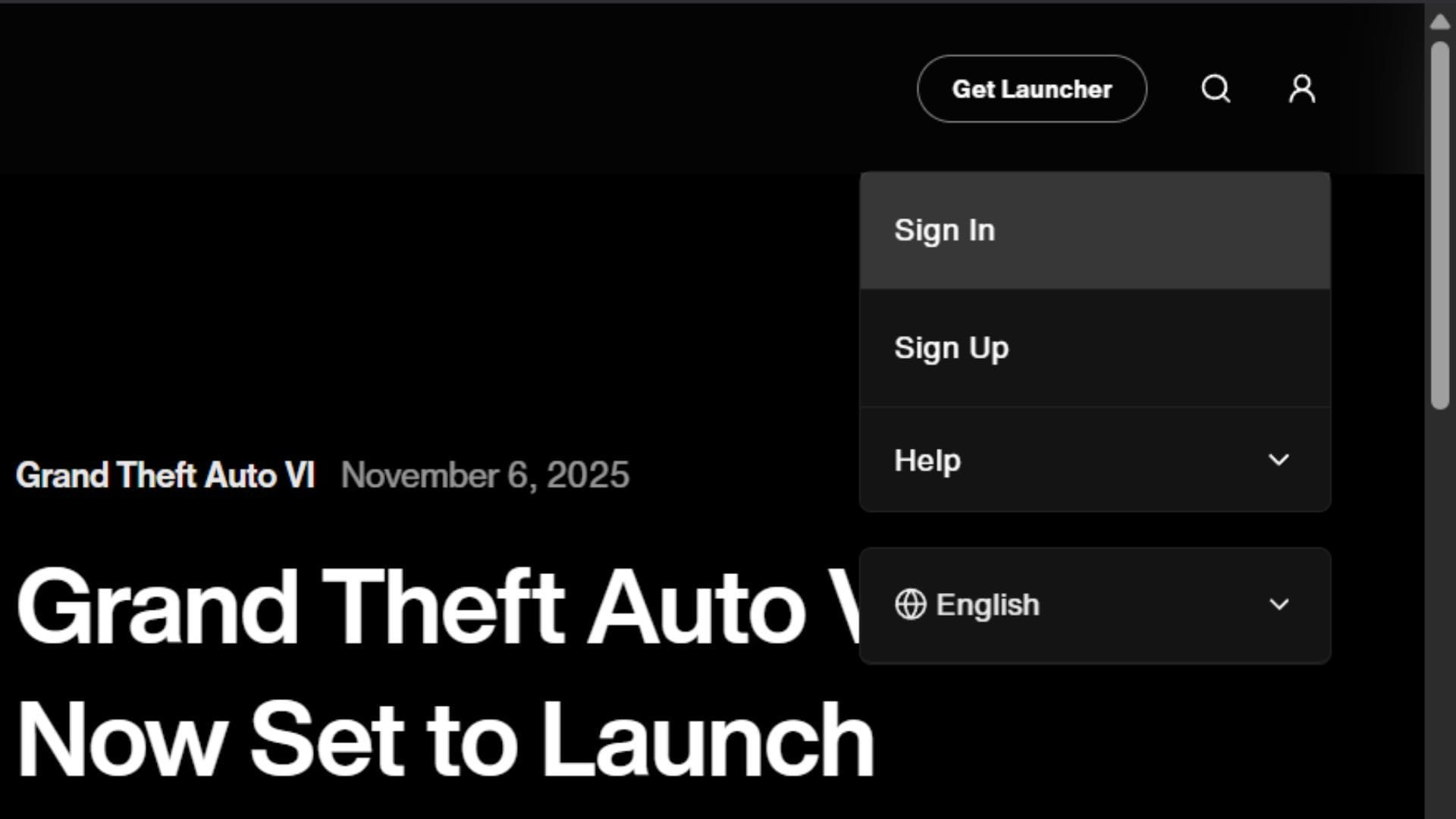
After joining the Rockstar Games Discord server, you need to open its official website. You can find the login options in the top-right corner of the page. Simply sign in to your account and head to its settings.
3) Find the connections page and link to Discord
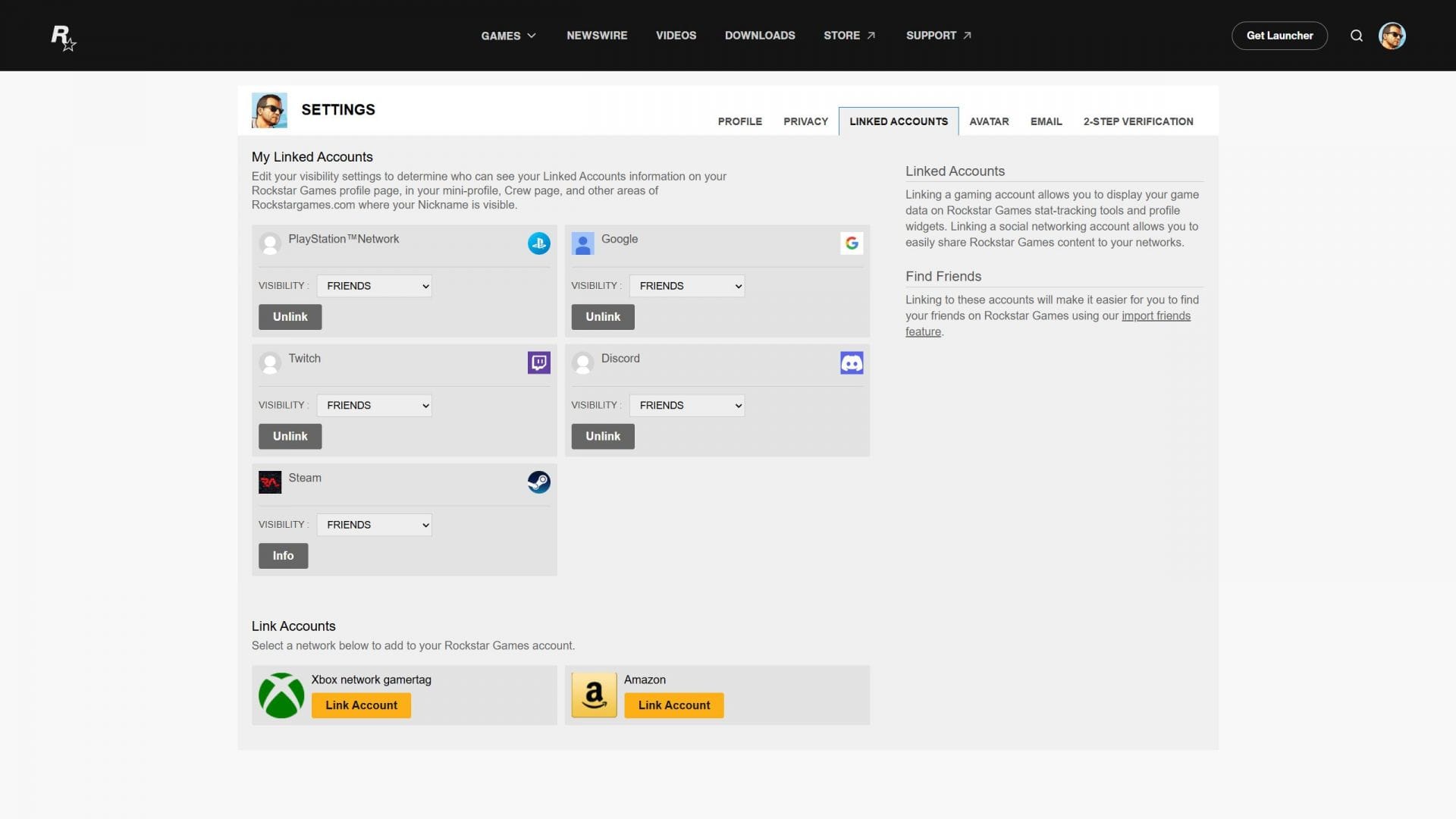
Once you open the account settings on the webpage, you will see several tabs for different edits. One of them will be named "Linked Accounts". Head to this tab and find the Discord linking option.
After clicking on the "link account" button, you will be taken to a new page where you will be asked to log in to your Discord account on the browser. Log in and authorize the link from the Discord side.
4) Confirm the link in the Rockstar Games Discord channel
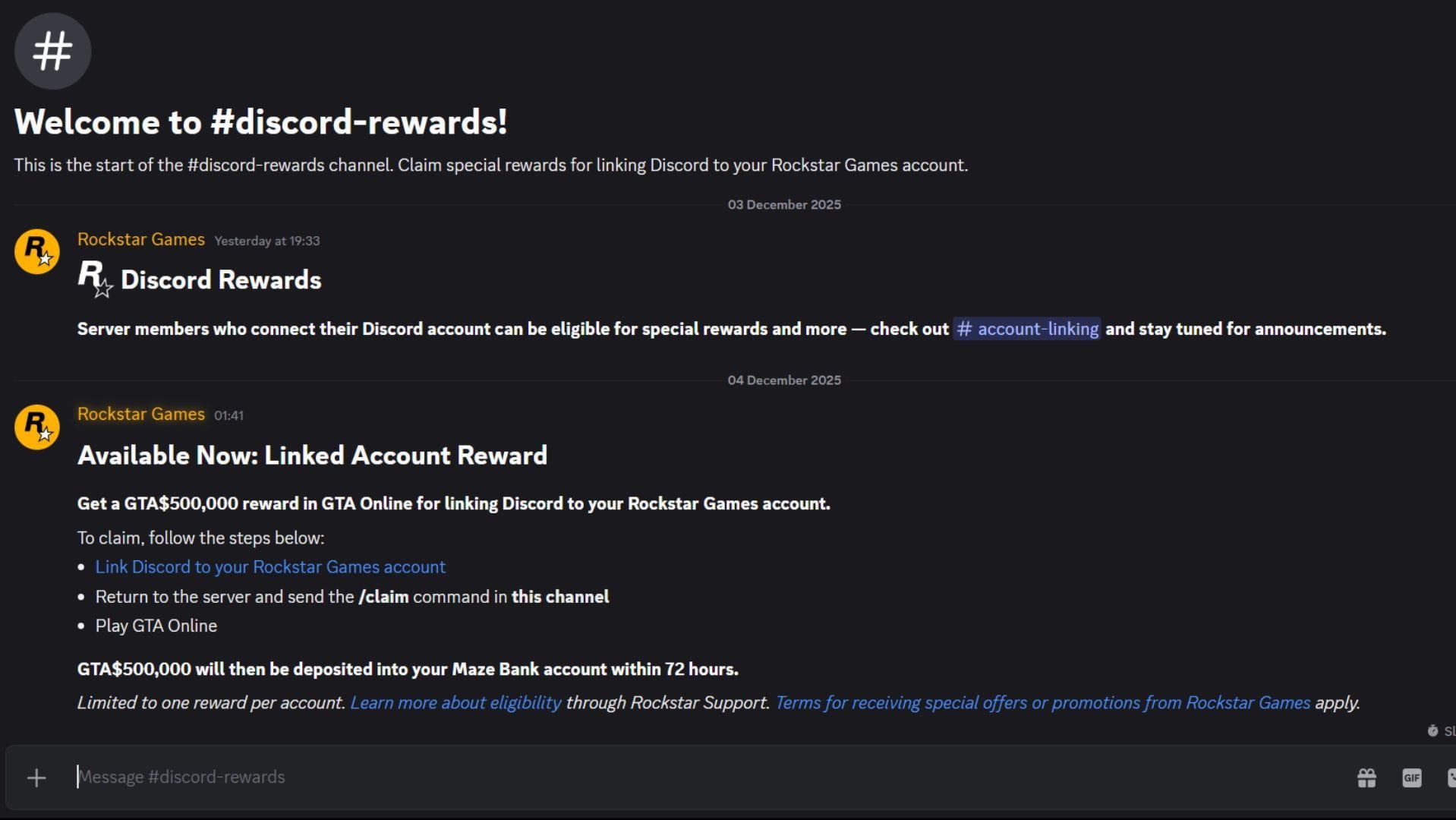
Finally, you can head back to the Rockstar Games Discord server and open the "discord rewards" text channel. There you will find the steps you need to take to get the $500,000 in GTA Online. After the accounts are linked, you need to simply type "/claim" in this text channel. A message will show up that the account linking has been confirmed and verified.
Finally, you can open GTA Online from the Rockstar Games launcher, and the money will automatically be credited into your account.
Check out our other content:
- Why GTA 6's story might not be as grounded as GTA 4 or RDR2
- 5 things GTA 6 Online should learn from Schedule 1
- Why every player should own an Armored Kuruma in GTA Online


