


'%20x='0'%20y='0'%20height='100%25'%20width='100%25'%20%0A%20%20%20%20%20%20%20%20%20%20xlink%3Ahref='data:image/jpg;base64,/9j/2wBDAAYEBQYFBAYGBQYHBwYIChAKCgkJChQODwwQFxQYGBcUFhYaHSUfGhsjHBYWICwgIyYnKSopGR8tMC0oMCUoKSj/2wBDAQcHBwoIChMKChMoGhYaKCgoKCgoKCgoKCgoKCgoKCgoKCgoKCgoKCgoKCgoKCgoKCgoKCgoKCgoKCgoKCgoKCj/wgARCAAGAAoDASIAAhEBAxEB/8QAFgABAQEAAAAAAAAAAAAAAAAAAAYH/8QAFAEBAAAAAAAAAAAAAAAAAAAAAP/aAAwDAQACEAMQAAAAotyD/8QAHhAAAQMFAQEAAAAAAAAAAAAAAwECBQAEBhEiUXH/2gAIAQEAAT8AhorMpy+EWAyt8ZY6ZsCj39oHARtL2RGojnerX//EABQRAQAAAAAAAAAAAAAAAAAAAAD/2gAIAQIBAT8Af//EABQRAQAAAAAAAAAAAAAAAAAAAAD/2gAIAQMBAT8Af//Z'%3E%3C/image%3E%3C/svg%3E)

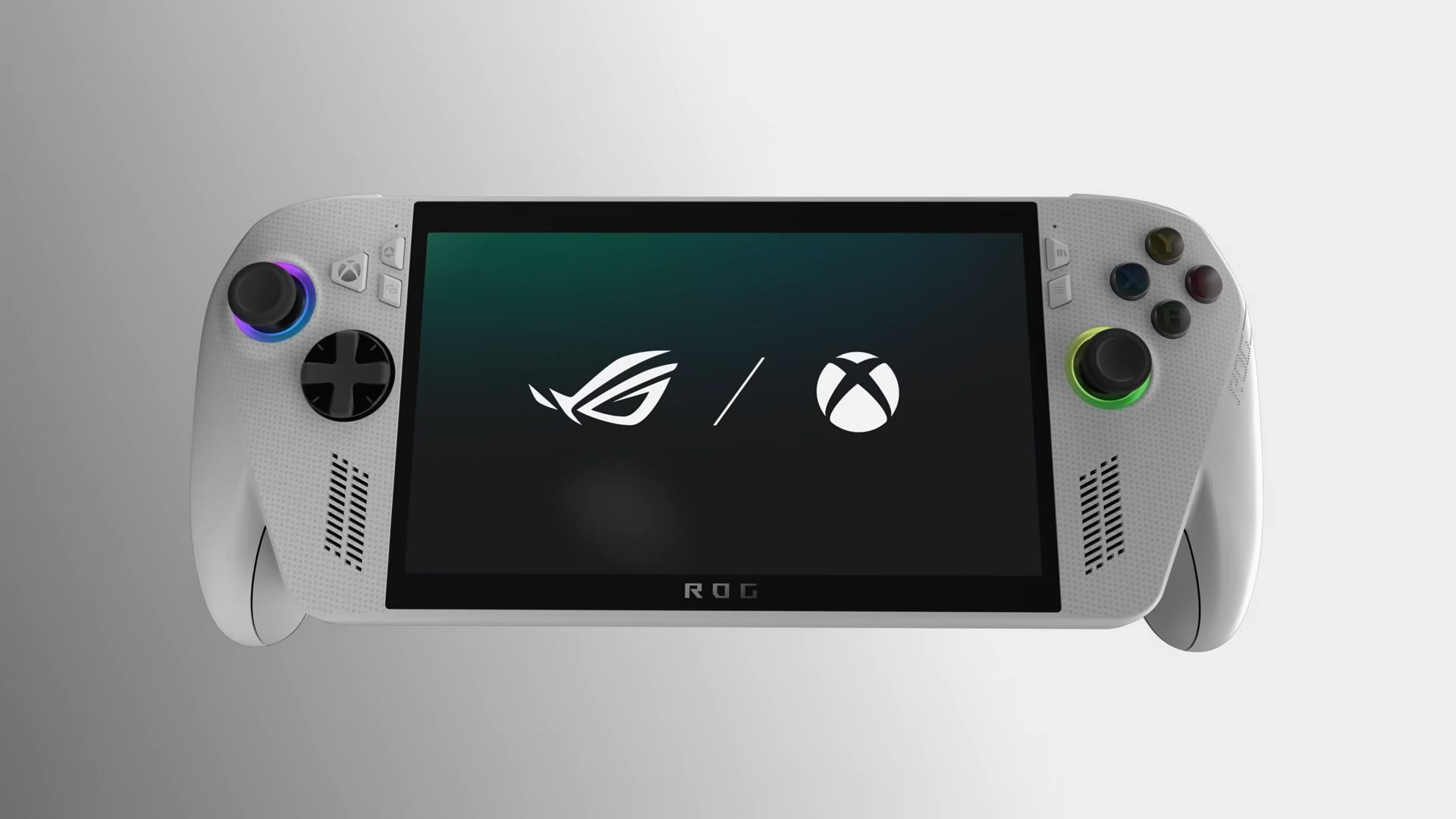
The ROG Xbox Ally is the latest handheld console to hit the market, and we had the chance to preview it with hands-on experience at Gamescom Asia x Thailand Game Show 2025. This highly anticipated device, developed in collaboration between Asus and Microsoft, brings the power of PC gaming in a handheld form factor, this time aided by Xbox's features and Game Pass library.
With an ergonomic design and a crisp display, the ROG Xbox Ally presents an interesting case in the handheld market, boasting decent hardware at a fairly competitive price. In this hands-on preview, we will dive into our first impressions of the ROG Xbox Ally's performance, design, and overall experience, straight from the show floor.
Also read - Gamescom Asia x Thailand Game Show 2025 indie spotlight [Sportskeeda Exclusive]
ROG Xbox Ally feels light and comfortable for the hardware that it packs

Right off the bat, the first thing that I noticed while using the device was that it's very light. Paired with the ergonomic grips and design, it's extremely comfortable to use. As someone who is accustomed to lightweight devices, the ROG Xbox Ally was a pleasant surprise - it did not feel heavy in the slightest. I used the device for well over 15 minutes at a stretch, and it did not strain my hands at the slightest. I will discuss more on this shortly.
 Trending
This comes as a decent surprise, because it's not just another run off the mill device, but boasts very decent hardware. We tried the white version with 16 GB LPDDR5 RAM and 512 GB internal memory, and here is the full specification list for this particular model:
According to the official AMD manuals, the Z2 processor should easily supply a 28W TDP. This might not seem like a lot, but a handheld gaming device with a 16 GB memory and capable of running AAA-titles with variable refresh rate and full HD is no small feat. In fact, the star of this entire ROG Xbox Ally show is the Ryzen Z2 processor, which boasts the following specifications as well:
All this performance at the price of $599.99 is not a lot, while weighing just over 600 grams is just the cherry on top of the cake. However, the ergonomic design paired with this weight class might just be the game-changer here. For comparison, I have a Nintendo Switch 2 that I use on a daily basis. In handheld mode, the Switch 2 gets uncomfortable really soon, despite being more than 100 grams lighter than the ROG Xbox Ally.
Build quality of the ROG Xbox Ally: Great joysticks and subpar plastic
On the other hand, the build quality of the device is where I think ROG Xbox Ally could have done better. The white edition that I used was matte plastic, which possibly adds to the lighter weight of the device. However, the feeling was far from premium. I would not call it outright brittle, but it did feel that way after using the device for some time.

If you are someone whose hands tend to sweat after a while, prepare to face the issue with the ROG Xbox Ally as well. The side handles felt somewhat bulky and they do have grooves for added grip. I do not think they are adequate enough, though, especially for someone who has larger hands.
These shortcomings aside, the switches have an amazing feel to them, and this goes for both the ABXY buttons and the face buttons. The joysticks are smooth enough to allow you to pull off complex combos, but not loose enough to cause misdirected inputs. I played Hollow Knight Silksong on the device and could execute pogo jumps as easily as I would on my preferred controller.
Lastly, my personal favorite part of the ROG Xbox Ally, are the analogue Hall Effect triggers. I did not get to test them out on any game, but the tension was just perfect, and I feel it would perform very accurately for anyone trying out shooter games.
Xbox integration: A boon for anyone who has Game Pass
The highlight feature of the partnership between Asus and Microsoft for the ROG Xbox Ally is the integration of the Xbox App. You can access this with the press of a singular button directly, and this is going to be great if you have a Game Pass subscription. Before I get to that section, I need to discuss some other aspects that I noted with the Xbox App's addition.

Being a full Windows device, a lot of other software is also bundled with the Xbox App here. I could see options to enable Gaming Copilot in the ROG Xbox Ally from the Xbox App itself, a feature that I do not really see having a use-case in handheld gaming.
The Xbox shortcuts menu has made its way into the device, which made me wonder whether I could record gameplay directly on this handheld. While this might be possible with other methods, the shortcuts still want me to use PC-specific buttons, like the Windows, Alt, Shift, and other keys.

Now, here's the fun part about all of this - all of these still seem to take up a minimal amount of storage on your ROG Xbox Ally. With the OS installed, Hollow Knight Silksong, the Xbox App, and a few game demos, the device showed a whopping 475 GB free space. Considering its 512 GB total size, that's an impressive amount of compression and optimization.
Coming back to the games library - if you have an active Game Pass subscription, the ROG Xbox Ally is possibly the best device for you. You can access your library with a single button and switch games easily. However, note that the ROG Xbox Ally is not a substitute for the Xbox console, but is rather focused on bringing the PC-gaming experience to the handheld form.
Performance of the ROG Xbox Ally
I played Silksong on the ROG Xbox Ally for around 15 minutes, and the device was nowhere near hot. Now, I was not the first person to use this device, and there were others who had played games like Ninja Gaiden 4 on this one as well. Taking all of that into consideration, the ROG Xbox Ally did not feel warm at all.

The air vents on the top were firing at a decent speed, however, and I could feel the warm air coming from it when I put my hands near it. Having said that, these vents do not make loud sounds that will cause distractions during your gaming sessions. To nobody's surprise, the ROG Xbox Ally also has haptics, and it's a decent one. I've had better haptics, but by no means is this the worst, and it justifies the price range of the device.
The display, although only 1080p, was bright enough not to cause any problems even with direct overhead lights at the station. Colors are very accurate, and the IPS panel does its job just as well.
The sound output was decent, and I could hear the music that was playing during the game if I really tried. The crowd at the venue certainly made it difficult to properly test this bit out. Considering I could still hear something in that crowd at full volume, I am inclined to say it will sound just fine in normal gaming conditions.
Final thoughts on the ROG Xbox Ally

The ROG Xbox Ally strikes an impressive balance between performance, portability, and affordability. During my gameplay, I saw reliable framerates, consistent temperatures, and a vibrant display, all features that are very compelling for the price of just $599.99.
At this cost, the ROG Xbox Ally might prove to be a decent alternative to the Steam Deck's 512 GB variant, which, despite having a huge advantage with OLED display, lacks in the overall resolution and software integration part, while also having a lower refresh rate.
Moreover, the lightweight body and solid ergonomics make it a joy to use for long periods, even if the plastic build doesn't scream premium quality. Overall, the ROG Xbox Ally is a compelling mid-range option for anyone looking to take PC and Xbox gaming on the go without making a huge dent in their wallets.


