


'%20x='0'%20y='0'%20height='100%25'%20width='100%25'%20%0A%20%20%20%20%20%20%20%20%20%20xlink%3Ahref='data:image/jpg;base64,/9j/2wBDAAYEBQYFBAYGBQYHBwYIChAKCgkJChQODwwQFxQYGBcUFhYaHSUfGhsjHBYWICwgIyYnKSopGR8tMC0oMCUoKSj/2wBDAQcHBwoIChMKChMoGhYaKCgoKCgoKCgoKCgoKCgoKCgoKCgoKCgoKCgoKCgoKCgoKCgoKCgoKCgoKCgoKCgoKCj/wgARCAAGAAoDASIAAhEBAxEB/8QAFgABAQEAAAAAAAAAAAAAAAAAAAQG/8QAFQEBAQAAAAAAAAAAAAAAAAAAAQP/2gAMAwEAAhADEAAAAJs6Tf/EAB4QAAMAAQQDAAAAAAAAAAAAAAECAwUABBIhIlHR/9oACAEBAAE/ABncdfESlu8TGsXVXVivlxJ75ezqu2wjUcrG4BJIAmv3X//EABkRAAMAAwAAAAAAAAAAAAAAAAECAwARsf/aAAgBAgEBPwB6tPQXgz//xAAZEQADAAMAAAAAAAAAAAAAAAABAgMAEZH/2gAIAQMBAT8AEVoSzb6c/9k='%3E%3C/image%3E%3C/svg%3E)

Where Winds Meet allows you to live your Wuxia dreams, and part of that is building a gorgeous home. Though it will take some time, and at least one side quest to unlock, if that’s the kind of thing you want to do in your online game, you can certainly do it here. It can be very costly, in terms of resources, so you’ll probably have to farm lots of bamboo, lumber, stone, ore, and other resources before you make something truly grand.
Thankfully, the actual quest to unlock the building feature in Where Winds Meet is significantly easier than actually building a structure to call your own in this Ten Kingdoms-era Wuxia title. If you want to learn the basics of building, here’s what you need to know.
How to unlock building in Where Winds Meet
In order to unlock building in Where Winds Meet, you need to at least be Level 25. We’re uncertain if you need to complete Chapter 1 first, but that’s around the time we were Level 25. The game doesn’t give any further requirements.
 Trending
Looking for Crossword hints & solutions? Check out latest NYT Mini Crossword Answers, LA Times Crossword Answers, and Atlantic Crossword Answers

You can find the quest in the Exploration Section of your Quest Menu. Simply track the quest Building: One Last Job, and then head to Halo Peak, seen above. There’s plenty to do in this area, but when you’re ready, you can head to the quest giver, high up on the peak. Our closest fast travel was Blissful Retreat, though yours may vary. Just climb up the path and rocks, until you get to the NPC.
Along the way, you should also find a Wayfarer, who will give you a map of the area, which will certainly come in handy. There are a few bandits along the road as well, but they shouldn’t pose a threat.
Grab the teleport location when you reach Halo Peak proper, and speak to Yang Yuan. Inform him you’re here to help with the reconstruction, and though he can’t pay you, he will teach you how to build. Go to the nearby rocks and pick up three Pebbles, and return to Yang Yuan.

This is where we actually begin to learn how to build in Where Winds Meet. Open your inventory and find your Pebble, click on it, and then click on More. Select Craft to open the crafting menu. Make the Stone Pagoda Piece - Top, and speak with him again. Follow the on-screen prompt to enter Build Mode.
However, I highly recommend you also activate Free Camera by pressing ~ on your keyboard or L3 on your controller and selecting Free Camera. That way you can easily click things into place, instead of struggling with the player camera.
It will make building in Where Winds Meet infinitely easier when placing many objects. Now, just take Stone Pagoda Piece - II and place it atop the structure, and do the same with Stone Pagoda Piece - III. Then, place the Stone Pagoda Piece - Top above that. After your chat with Yang Yuan, you’ll complete this quest, and have access to building.
How to build a home in Where Winds Meet

You can build a home almost anywhere in Where Winds Meet, with some notable exceptions. It didn’t seem like we could build in or near towns, but that might be something that is changed later. What we recommend is finding a spot somewhere that’s easy to get to, or easy to remember, because another issue is that our structures didn’t show up on the map. For that reason we always built near teleport stones.
One of the first things you ought to do is have plenty of resources by breaking down stone and chopping lumber/bamboo trees. When you’ve found a place you’d like to build, or at least, a place where you’d like to create your blueprint and press L3/~ and select Cradle Blueprint.
This blocks out a 30x30 space where you can create a blueprint. If you’ve already built one, you can select it here, as well. That’s the default, anyway. You can stretch the borders by clicking and dragging on the four arrows you find in this part of the UI. You can also click the blue area and drag it around to find the perfect spot.

When you’re satisfied, just press Space Bar/Square to create the blueprint space. Now you can see new information in the top right of your screen. These icons are Details, Leave, and Clear. Details shows the size of the area, any notes you made, as well as all of the components you’ve used.
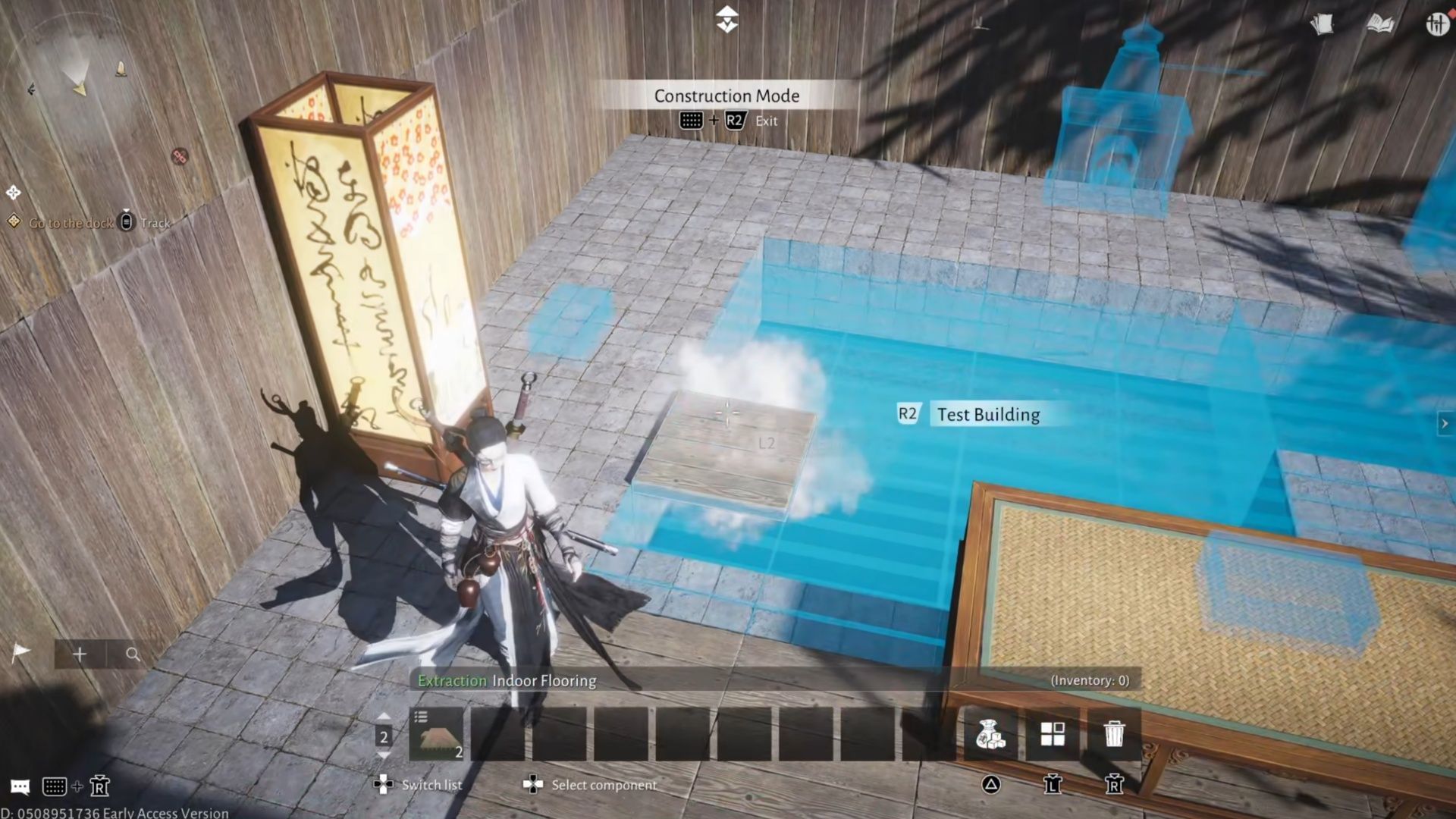
While in this mode, you can place whatever you want, whether you have the materials or not, so that’s another thing to be advised of. You can use this to plan your future home, to see what kind of materials you’re going to need to farm.
In order to actually build, press Triangle/B on the Keyboard to pull up a list of potential Foundations, Walls, Roofs, as well as interior items. Just scroll through the menu to find what you’re looking for. When you click on item, you’ll see a Forge cost, and how much you have of that item, as well.

You can place it even if you don’t have the material, but you won’t be able to complete the blueprint later. Thankfully, whenever you’re done, you can see exactly what you need to farm in Where Winds Meet for your building. When building walls/floors/larger structures, I recommend using free camera, because it makes it easier to connect items together in Where Winds Meet's building system.
Either way, you can also place multiple wall/floor/et cetera tiles at once by dragging the mouse or holding R2. Once you’re happy with everything, click the Details icon in the top left. If you want to give the diagram a name, take a screenshot to make a preview icon, and save the blueprint, you do it here.
Then you can click the Leave icon, to exit this mode. Everything will be removed from the screen, except anything you built manually before that. That’s one of the reasons I prefer to make the blueprint, before consigning myself to constructing the building manually in Where Winds Meet. It’s also worth noting that once you have created this blueprint, you can still edit later.
When you want to actually create the blueprint you’ve made in Where Winds Meet, go to a suitable spot for it, and enter Building Mode. Press ~/L3, and select Cradle Blueprint. Pick the Blueprint you’d like to create, and select Place.
If you aim the camera at the blueprint itself, you should see the name of it pop up, alongside a button prompt, F/R2. You can then select Auto Completion, and it will fill everything in for you. Make sure Prefer to use existing components to fill is checked if you have the materials, otherwise uncheck it.
You’ll see how many raw materials you need to auto complete your building in Where Winds Meet. Then with that, your design will be complete! I know my design isn’t much of a design, but the fundamentals are the same. One final thing to note, if you go to the list of buildables (Triangle/B on the Keyboard), and go all the way to the right, with E/R1, you'll find some pre-designed areas you could build instead:
- Low-Level Inn Design
- Multi-Story House Design
- Tall Tower Diagram
- Maze Diagram
- Wooden Bridge Diagram
- Four-Rafter House-Diagram
These are people who are either terrible at building (like me), or simply want a nice base to work with, that they can then edit to their heart's content. This is frankly, what I plan to use later, when the servers go live.
Check out our other Where Winds Meet guides and features:

Are you stuck on today's Wordle? Our Wordle Solver will help you find the answer.


