


'%20x='0'%20y='0'%20height='100%25'%20width='100%25'%20%0A%20%20%20%20%20%20%20%20%20%20xlink%3Ahref='data:image/jpg;base64,/9j/2wBDAAYEBQYFBAYGBQYHBwYIChAKCgkJChQODwwQFxQYGBcUFhYaHSUfGhsjHBYWICwgIyYnKSopGR8tMC0oMCUoKSj/2wBDAQcHBwoIChMKChMoGhYaKCgoKCgoKCgoKCgoKCgoKCgoKCgoKCgoKCgoKCgoKCgoKCgoKCgoKCgoKCgoKCgoKCj/wgARCAAGAAoDASIAAhEBAxEB/8QAFgABAQEAAAAAAAAAAAAAAAAAAAYH/8QAFQEBAQAAAAAAAAAAAAAAAAAAAgP/2gAMAwEAAhADEAAAAMrtQV//xAAgEAAABQMFAAAAAAAAAAAAAAABAgMEBQAREgYHMZPR/9oACAEBAAE/AI3VcwSQRcqP3JnTcgpkUBS2JB5AKJuPK4FvIyveHlf/xAAXEQADAQAAAAAAAAAAAAAAAAAAAQIx/9oACAECAQE/ALlPT//EABYRAQEBAAAAAAAAAAAAAAAAAAEAEf/aAAgBAwEBPwAcv//Z'%3E%3C/image%3E%3C/svg%3E)

The Hidden Bunker in ARC Raiders is a map condition specific to the Spaceport region. When this event activates, players can drop onto the map and explore various points of interest to locate antennas. These interactive items help unlock the door of a bunker hidden on the outskirts of the map. Inside this bunker reside lucrative items that Raiders can claim and fight over.
This article sheds light on the Hidden Bunker in ARC Raiders, how to unlock it, and what you can expect to find inside.
Location of Hidden Bunker in ARC Raiders
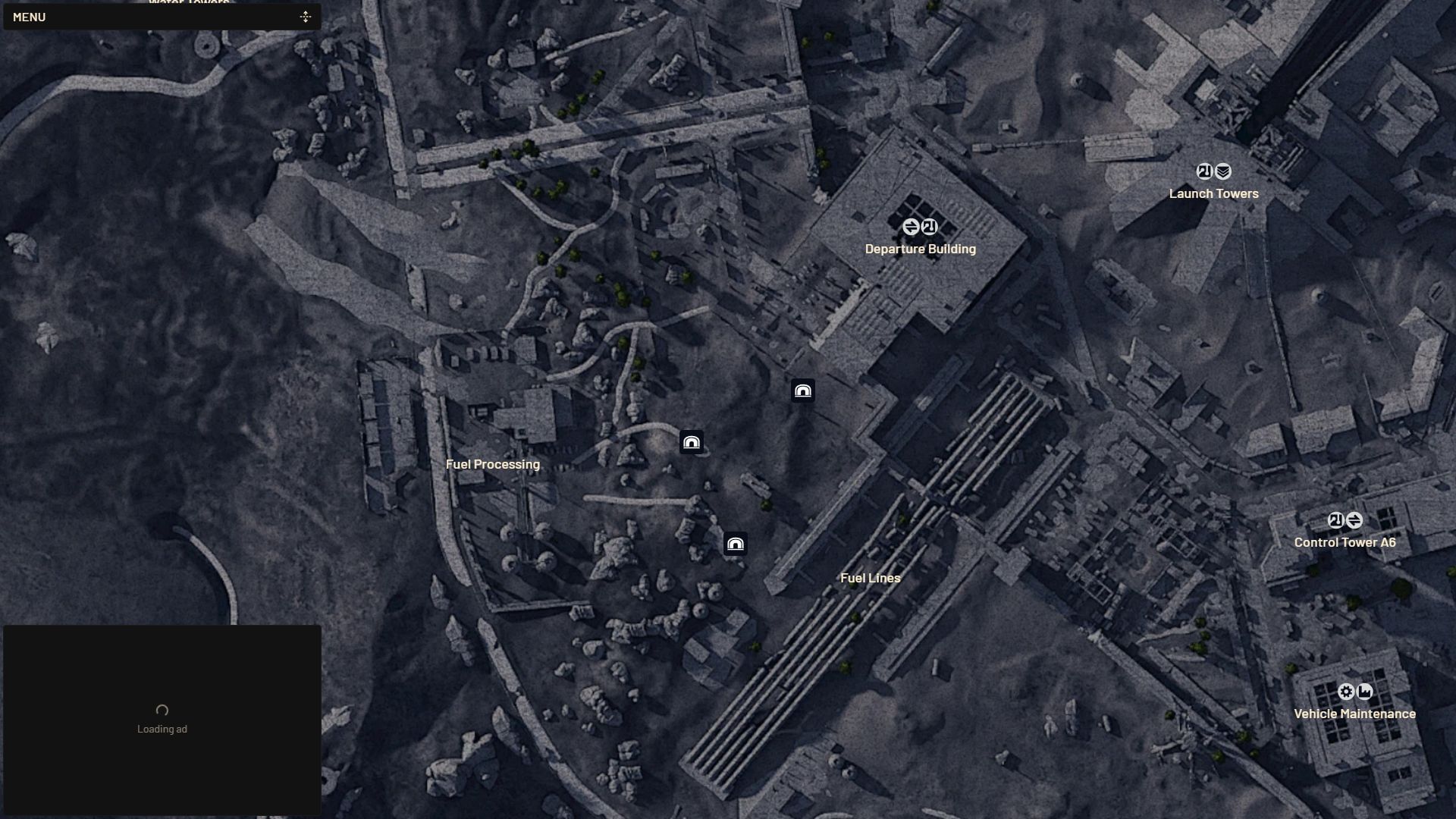
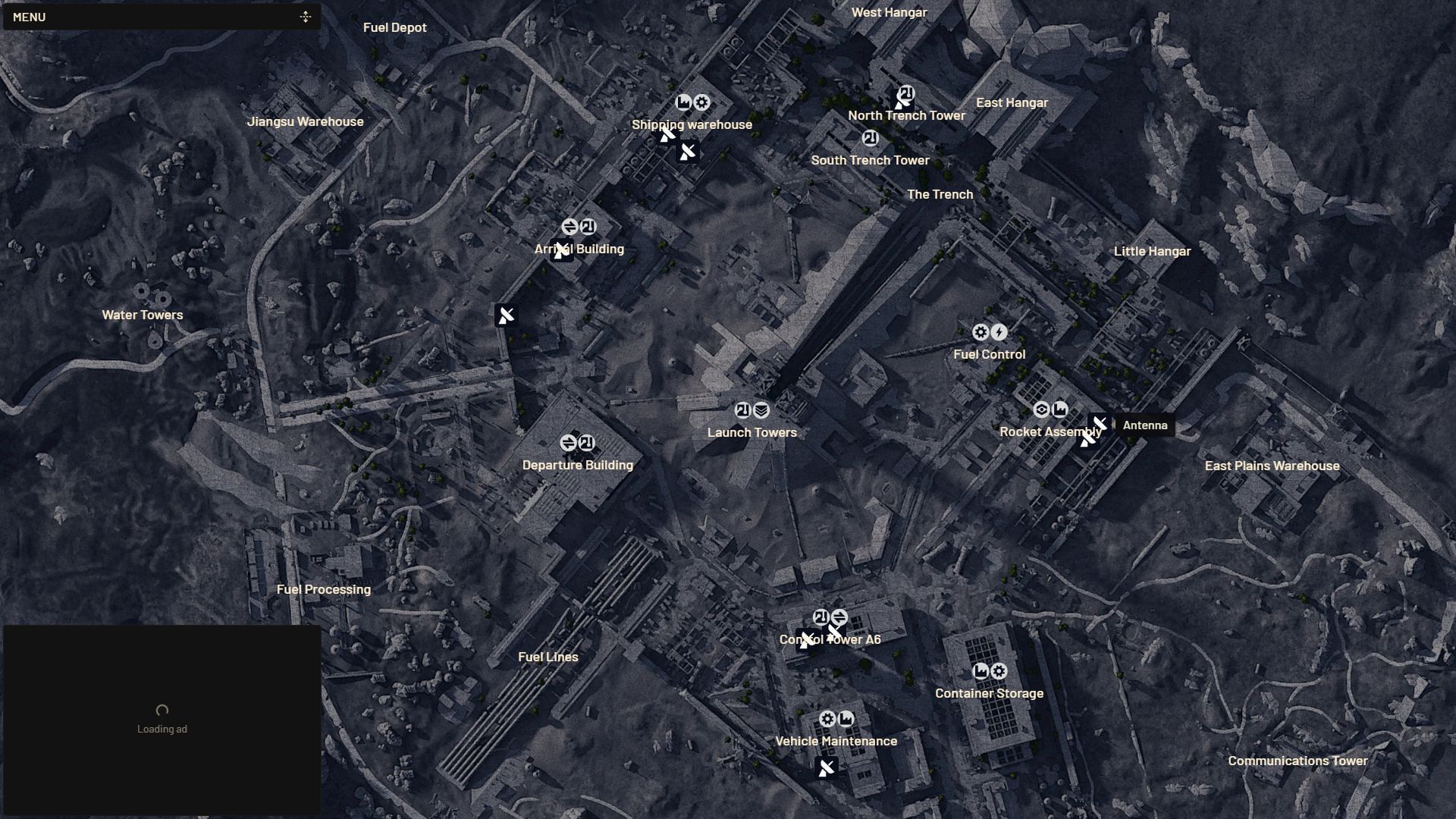
The Hidden Bunker is situated on the south-western outskirts of the Spaceport map. You can find it by heading east from the Fuel Processing point of interest or northwest from Fuel Lines. There are three entrances as marked below, and ARC robots usually patrol the vicinity.
 Trending
Looking for Crossword hints & solutions? Check out latest NYT Mini Crossword Answers, LA Times Crossword Answers, and Atlantic Crossword Answers
Location of Spaceport Antennas in ARC Raiders
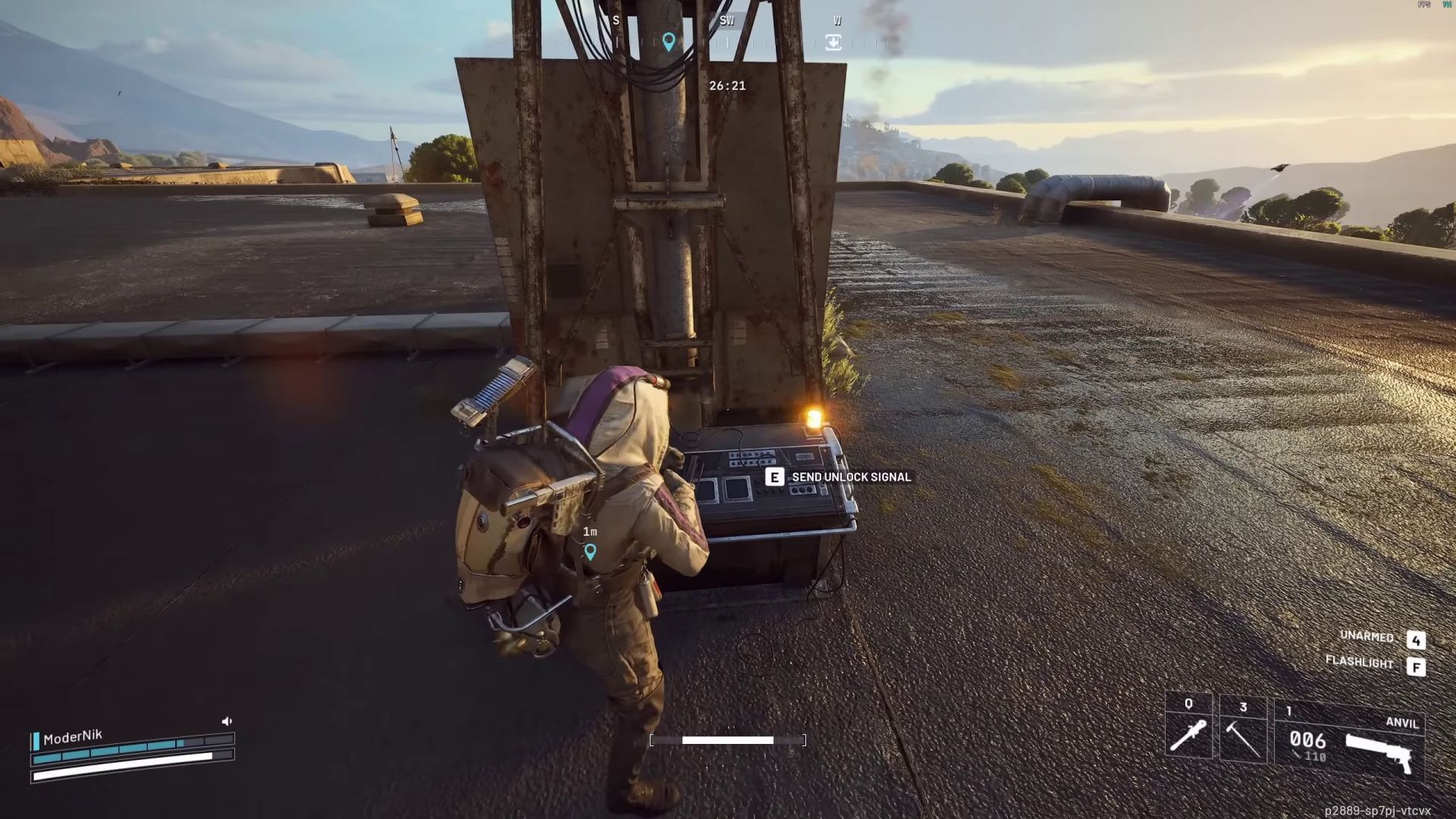
To unlock the Hidden Bunker, players need to locate and activate four antennas marked on the map. While interacting with these elements, ensure you stay close during the "Send Unlock Signal" process so that it can complete without interruption. This unlocks the door to the Hidden Bunker. Here are all the possible antenna locations in the Spaceport map:
- Shipping Warehouse
- Arrival Building
- Control Tower A6
- Vehicle Maintenance
- Rocket Assembly
- North Trench Tower
Accessing the Hidden Bunker in ARC Raiders Spaceport map
After activating four antennas, head to the entrance doors of the Hidden Bunker in Spaceport and make your way inside. You will come across several weapon crates and loot containers. Do note that at this point, this entire point of interest will become a hotspot for PvP action. So watch your back at every corner.
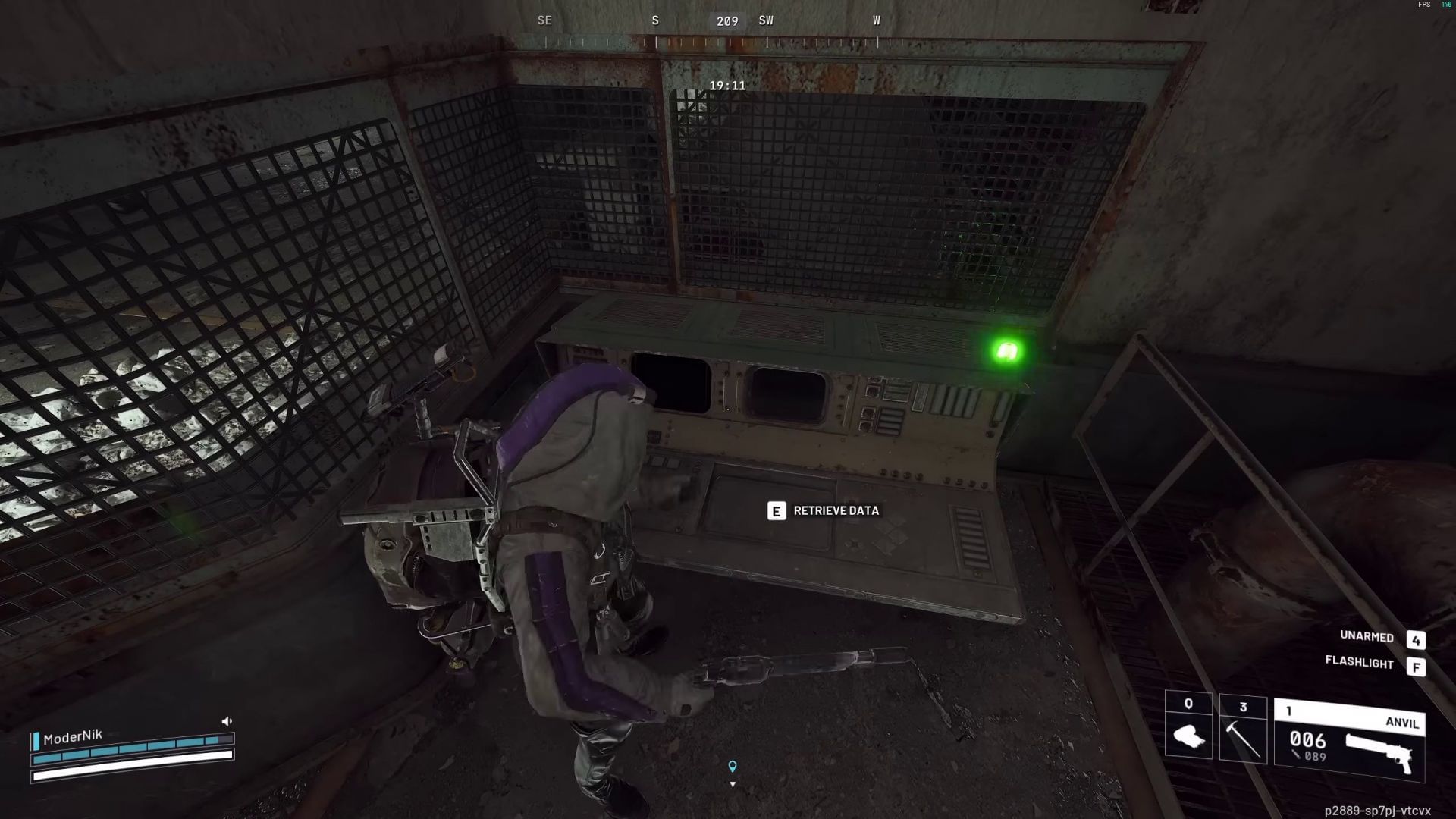
Inside the Bunker, you will find eight consoles from which you can download data. Locate one such interface shown above and start the download. During this process, you must stay within range of the console. A yellow light indicates that the data download is currently ongoing. A red light indicates the connection has been interrupted.
Once this entire process is done, a green light will pop up, and you can finally retrieve the downloaded data and acquire 500 XP along with stars for the ARC Raiders week 5 Trials.
For more news and coverage on ARC Raiders, follow Sportskeeda:
- How to complete ARC Raiders Greasing Her Palms quest
- How to complete Industrial Espionage quest in Arc Raiders
- How to complete Hatch Repairs quest in ARC Raiders
- How to complete The Right Tool quest in Arc Raiders
- How to complete the Eyes on the Prize quest in Arc Raiders

Are you stuck on today's Wordle? Our Wordle Solver will help you find the answer.


