


'%20x='0'%20y='0'%20height='100%25'%20width='100%25'%20%0A%20%20%20%20%20%20%20%20%20%20xlink%3Ahref='data:image/jpg;base64,/9j/2wBDAAYEBQYFBAYGBQYHBwYIChAKCgkJChQODwwQFxQYGBcUFhYaHSUfGhsjHBYWICwgIyYnKSopGR8tMC0oMCUoKSj/2wBDAQcHBwoIChMKChMoGhYaKCgoKCgoKCgoKCgoKCgoKCgoKCgoKCgoKCgoKCgoKCgoKCgoKCgoKCgoKCgoKCgoKCj/wgARCAAGAAoDASIAAhEBAxEB/8QAFQABAQAAAAAAAAAAAAAAAAAAAAb/xAAVAQEBAAAAAAAAAAAAAAAAAAACA//aAAwDAQACEAMQAAAAj54sv//EACEQAAEDAwQDAAAAAAAAAAAAAAECAwQAEyEFBhIUYaHh/9oACAEBAAE/AG4+sz1Py3J7NkDlaWgrx6zR3OyCR0VHzd+V/8QAFhEBAQEAAAAAAAAAAAAAAAAAAQAS/9oACAECAQE/ANpf/8QAFhEBAQEAAAAAAAAAAAAAAAAAAgAB/9oACAEDAQE/AMBv/9k='%3E%3C/image%3E%3C/svg%3E)

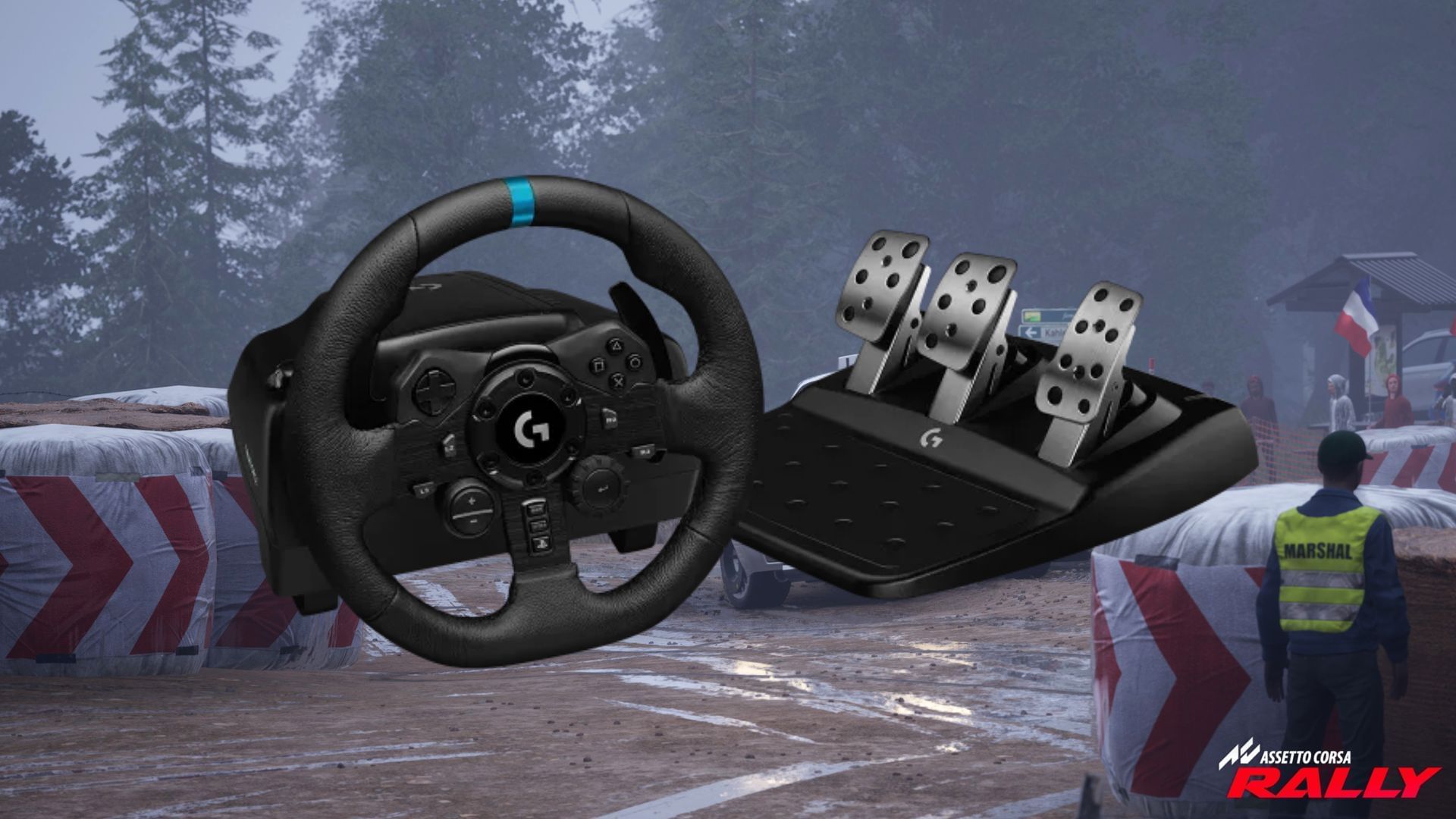
Assetto Corsa Rally is finally out, and gamers are taking their skills to its speedy tracks. While controllers are great for gameplay, racing wheels yield the most immersive experience. So it comes as no surprise that players are looking for the best settings for their wheels to play the title.
Here's the best wheel setup for Assetto Corsa Rally.
Note: The guide has been written based on the Logitech G923 with an add-on shifter. While the parameters are mostly universal, some tweaks might be needed for other brands.
Looking for Crossword hints & solutions? Check out latest NYT Mini Crossword Answers, LA Times Crossword Answers, and Atlantic Crossword Answers
Best wheel keybindings for Assetto Corsa Rally
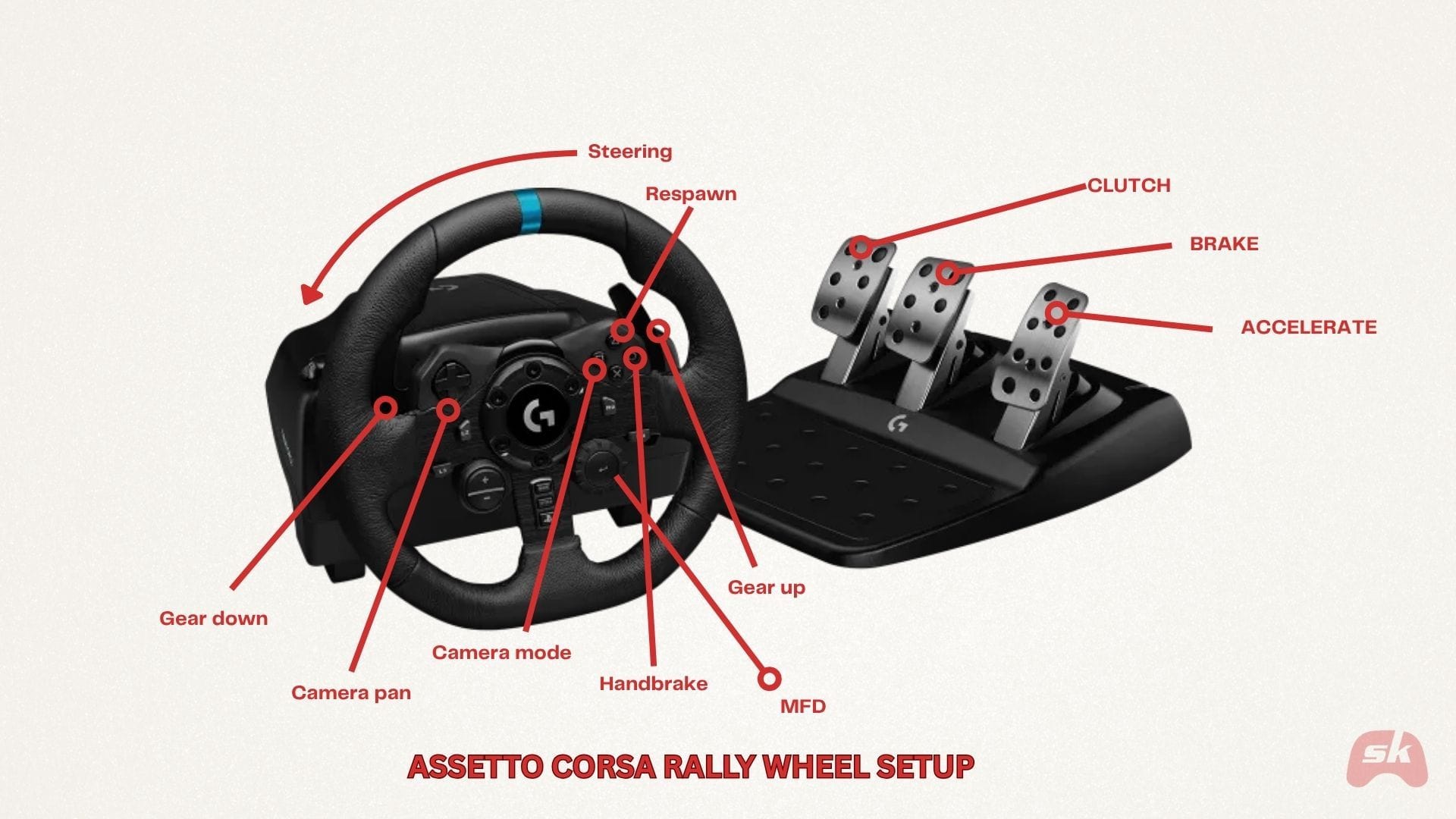
When you run Assetto Corsa Rally, the game will automatically map the default setup for most modern racing wheels. While this binding is great for casual gameplay, some tweaks can enhance the responsiveness and ensure the necessary settings are handy.
 Trending
Use the keybindings in the picture above to ensure you have easy access to the handbrake and the MFD. Additionally, it is worth noting that if you are using a custom handbrake or shifter, make sure to manually set it in the Settings menu. Failing to do so will assign the handbrake function to one of the free buttons on your wheel.
Best wheel settings for Assetto Corsa Rally
After you're done setting the keybinds, you can tweak specific parameters to ensure enhanced responsiveness, braking, and cornering while driving. Tweaking these values can ensure the best wheel performance while retaining the intended level of realism.
Alongside best wheel settings, we have provided the optimal Force Feedback settings below. Since FFB is one of the most crucial aspects for immersion, a perfect balance ensures you can drive in peace without feeling like you're holding on for dear life.
Here are the best settings and Force Feedback settings for your wheel:
Best Wheel settings for Assetto Corsa Rally
Best Force Feedback settings for Assetto Corsa Rally
Apart from these settings, there are a few things to keep in mind. It is best to stick between 540° and 720° rotation since this is more aligned to real-world steering ratios. Additionally, it's best to keep the FFB Gain around 75–85 since it offers enhanced realism without straining your muscles.
If the wheel feels too light on straights, you can increase the minimum force by 1 or Gain by 4–5 to get a more challenging and stable feedback. However, if you are losing grip on heavy turns and in the rain, it is best to lower the Gain.
Additionally, if you are using load-cell brakes or pedals, it's a good idea to adjust the Brake Gamma to 1.6–1.8 for smoother early response and better braking behavior. If your wheel jerks violently on bumps or when your car falls into craters, raise the damper by 30–40 to make it easier to handle. For a balanced, immersive experience, we suggest sticking to a Gain 75-Damper 30 ratio.
Also read: Assetto Corsa Rally Review: Immersive gameplay brings the art of rallying to life
Check out some other articles:

Are you stuck on today's Wordle? Our Wordle Solver will help you find the answer.


