


'%20x='0'%20y='0'%20height='100%25'%20width='100%25'%20%0A%20%20%20%20%20%20%20%20%20%20xlink%3Ahref='data:image/jpg;base64,/9j/2wBDAAYEBQYFBAYGBQYHBwYIChAKCgkJChQODwwQFxQYGBcUFhYaHSUfGhsjHBYWICwgIyYnKSopGR8tMC0oMCUoKSj/2wBDAQcHBwoIChMKChMoGhYaKCgoKCgoKCgoKCgoKCgoKCgoKCgoKCgoKCgoKCgoKCgoKCgoKCgoKCgoKCgoKCgoKCj/wgARCAAGAAoDASIAAhEBAxEB/8QAFgABAQEAAAAAAAAAAAAAAAAAAAIF/8QAFQEBAQAAAAAAAAAAAAAAAAAAAQL/2gAMAwEAAhADEAAAAI3iz//EACAQAAIBAwQDAAAAAAAAAAAAAAECAwQFBgAREhMUIWL/2gAIAQEAAT8ApM7ucV/fHKXp88cEhlnhDoD9HcE6Wpy9lDPWWgMfZ4wNtr//xAAWEQADAAAAAAAAAAAAAAAAAAAAARH/2gAIAQIBAT8ArP/EABURAQEAAAAAAAAAAAAAAAAAAAEA/9oACAEDAQE/AAv/2Q=='%3E%3C/image%3E%3C/svg%3E)

Battlefield RedSec has just gone live, and many users who had Battlefield 6 installed are getting the “not installed in your system” error message. This issue only appears for players who already had Battlefield 6 installed when they downloaded RedSec. After updating to the Season 1 patch and trying to play the battle royale mode, the error shows up.
This happens when a specific Battlefield RedSec file hasn't been downloaded or installed. It’s a simple error with a straightforward solution.
How to fix the Battlefield RedSec "not installed in your system" error
This error only occurs for players had BF6 when they got RedSec. After updating to Season 1, they encounter this error when trying to launch Battlefield RedSec for the first time.
 Trending
Looking for Crossword hints & solutions? Check out latest NYT Mini Crossword Answers, LA Times Crossword Answers, and Atlantic Crossword Answers
If you’ve only downloaded the standalone Battlefield Battle Royale/RedSec and don't have the full BF6 game, you won’t face this issue.
How to fix
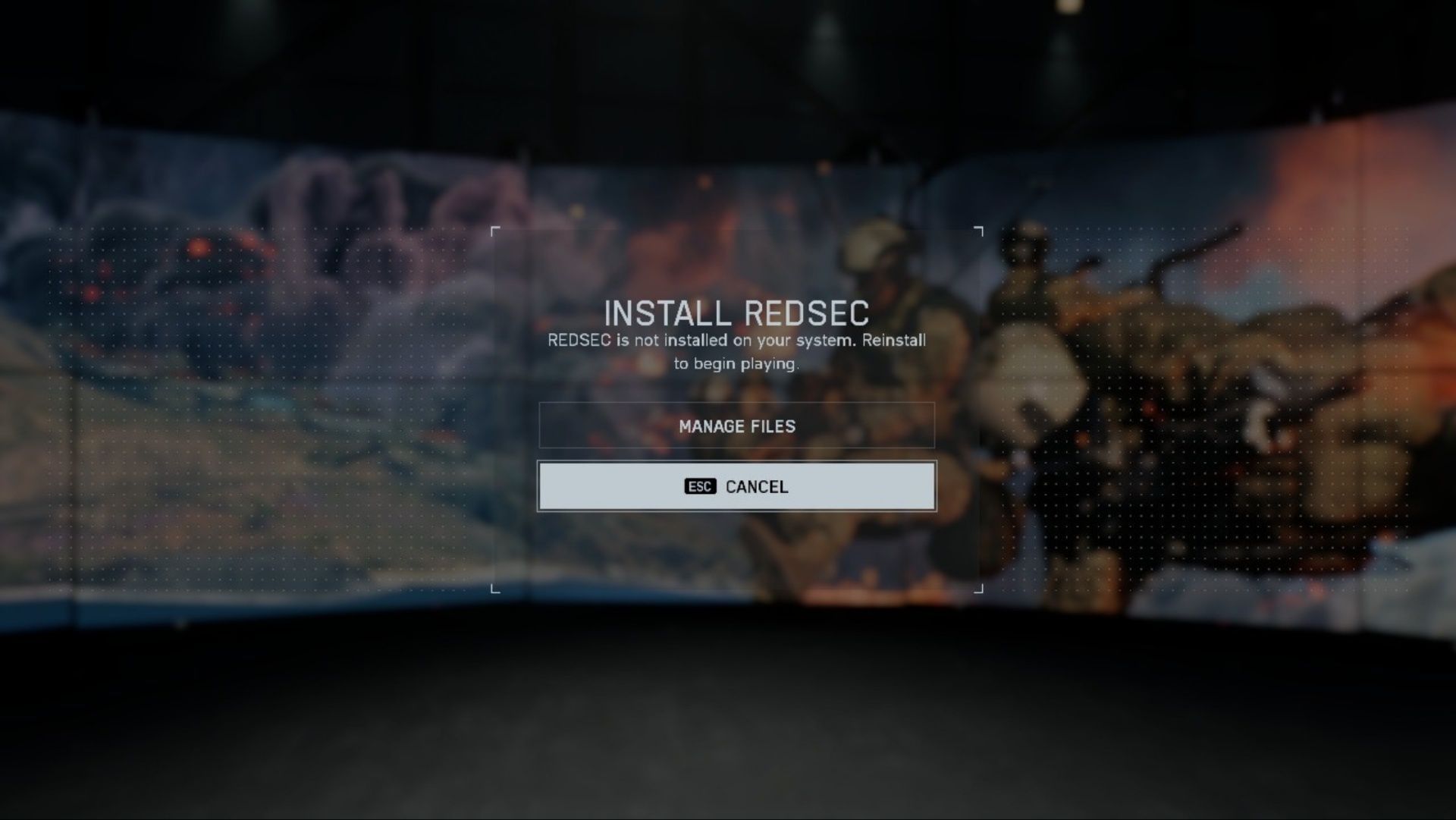
Once you get the “RedSec is not installed on your system” error in-game, you’ll see an option below it labeled Manage Files. Click on it, and you’ll be directed to the Manage Files section, where you need to locate and check the Battlefield RedSec option.
It will appear as Not Installed, so click on it to start the download. The file size may vary but usually it is around 8 GB. Once the download is complete, restart the game, and you’ll be good to go.
Also read: BF RedSec weapon tier list (ranked from best to worst)
If you’ve encountered other errors after launching BF RedSec, such as the game suddenly crashing or not launching at all, it might be due to corrupted files or outdated drivers.
First, check if your graphics driver is up to date. Since this is a new game, updating your graphics driver ensures it runs smoothly without any hiccups.
If the files are corrupted, you’ll need to verify the file integrity. This process will detect and fix any damaged files. You can verify the game files through both Steam and the EA client. If you’re interested, you can also check out our Battlefield RedSec Crashing on PC article for a step-by-step guide.
For the latest Battlefield news and guides, be sure to check the links below:
- BF RedSec not working on PS5: Possible fixes and reasons
- BF RedSec not working on Xbox: Possible fixes and reasons
- Battlefield 6 multiplayer review: The modern warfare we actually need right now
- Battlefield 6 Portal experiences now grant reduced XP to tackle bot farming servers
- Battlefield 6 Season 1 roadmap: Release date, new maps, modes, and more

Are you stuck on today's Wordle? Our Wordle Solver will help you find the answer.


